
Description
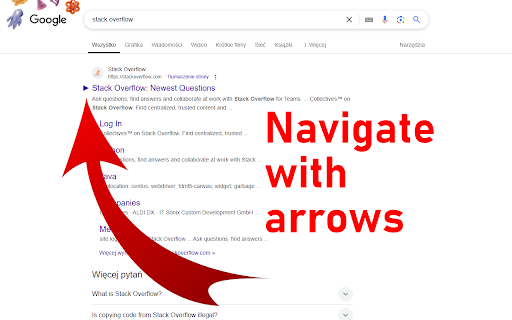
Keyboard Navigator for Google Search™ is a browser extension that lets you to navigate search results with your keyboard. You can open links, and switch between different Google services like Images, Videos, and Maps.
FEATURES
- Navigate Search Results: Use arrow keys to move through search results.
- Open Links Press Enter to open the selected search result.
- Switch Google Services: Use shortcuts to switch between Google Search, Images, Videos, and Maps.
DEFAULT KEYBINDINGS
- Next Result: Arrow Down or J
- Previous Result: Arrow Up or K
- Next page: Arrow Right or L
- Previous page: Arrow Left or H
- Open Result: Enter
- Switch to All: A or W
- Switch to Images: I or G
- Switch to Videos: V
- Switch to Maps: M
Source code on GitHub: https://github.com/KyrietS/keyboard-navigator-for-google-search
Reviews
Loading reviews...
Permissions (1)
Permissions
storageℹ Can store data locally in your browser
Details
| Version | 1.1 |
| Updated | Jul 27, 2025 |
| Size | 13.97KiB |
| First Seen | Mar 31, 2026 |
Popular in workflow

Adobe Acrobat: PDF edit, convert, sign tools
by Adobe Inc.
331M
★ 4.40
workflow
331M
★ 4.40
workflow

AdBlock — block ads across the web
by AdBlock
62M
★ 4.48
workflow
62M
★ 4.48
workflow

迅雷下载支持
by Shenzhen Xunlei Network Technology Co., Ltd.
59M
★ 2.77
workflow
59M
★ 2.77
workflow

Adblock Plus - free ad blocker
by eyeo GmbH
41M
★ 4.39
workflow
41M
★ 4.39
workflow

Chrome Remote Desktop
by Chrome Remote Desktop Release Managers
39M
★ 3.14
workflow
39M
★ 3.14
workflow
Popular Extensions
Adobe Acrobat: PDF edit, convert, sign tools
by Adobe Inc.
331M
★ 4.40
workflow
331M
★ 4.40
workflow
AdBlock — block ads across the web
by AdBlock
62M
★ 4.48
workflow
62M
★ 4.48
workflow
迅雷下载支持
by Shenzhen Xunlei Network Technology Co., Ltd.
59M
★ 2.77
workflow
59M
★ 2.77
workflow

Grammarly: AI Writing Assistant and Grammar Checker App
by Grammarly
42M
★ 4.50
communication
42M
★ 4.50
communication
Adblock Plus - free ad blocker
by eyeo GmbH
41M
★ 4.39
workflow
41M
★ 4.39
workflow