
Spellex Write-Assist for Chrome
v1.7.2 Updated Jul 10, 2025 3.68MiB
⚠️Requests 1 sensitive permission
Description
Spellex Write-Assist – Empowering Every Writer
Spellex Write-Assist is an all-in-one Chrome extension designed to enhance writing, reading, and research for students, professionals, and individuals with learning differences.
This powerful assistive technology toolbar includes:
Advanced Spell Checking
Custom vocabularies for healthcare, legal, biosciences, veterinary studies, and more—perfect for specialized writing.
Word Prediction
Increase typing efficiency with intelligent word suggestions tailored to your writing context.
Real-Time Speech-to-Text
Dictate with ease using advanced AI-powered voice recognition, offering:
• Ultra-accurate transcription with support for 40+ languages and dialects
• Robust performance in noisy environments
• Automatic punctuation and intelligent formatting
• Fast, low-latency results ideal for seamless web-based dictation
Text-to-Speech with Human Voices
Highlight any text to hear it read aloud naturally—improve comprehension and editing flow.
Note Highlighting & Organization
Highlight, color-code, and save notes directly as PDFs—locally or to the cloud—for later review.
Word Definitions & Audio Pronunciations
Instantly access definitions with etymology and hear how words are pronounced.
Screen Masking & Magnification Ruler
Enhance focus and readability with tools that isolate and enlarge text as you read.
Dyslexia-Friendly Font
Read and write more comfortably with a font designed to support users with dyslexia.
Picture Dictionary
Visual word support to boost understanding and vocabulary retention.
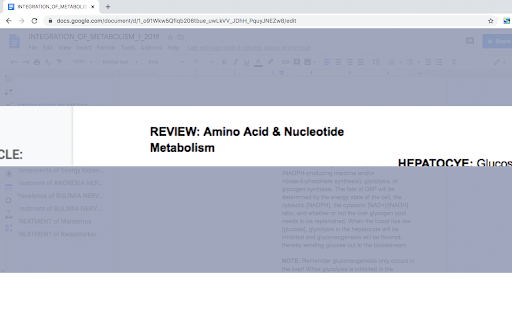
Collaborative Audio Notes in Google Docs
Record and share audio notes seamlessly within your documents.
PDF Tools with OCR
Interact with scanned PDFs using built-in Optical Character Recognition.
Translation Support
Highlight and instantly translate text into Spanish, German, or French.
Quick Research Tools
Search the web efficiently without distractions—ideal for studying and focused research.
Try Spellex Write-Assist Free for 14 Days!
Get full access to all premium features at no cost and discover how much easier writing and reading can be.


Reviews
Loading reviews...
Permissions (8)
Permissions
activeTabℹ Can access the current tab when you click the extension clipboardWriteℹ Can write to your clipboard contextMenusℹ Can add items to the right-click menu notificationsℹ Can show desktop notifications storageℹ Can store data locally in your browser tabsℹ Can see your open tabs and their URLs webNavigationℹ Can monitor navigation events webRequestℹ Can observe and analyze network traffic
Details
| Version | 1.7.2 |
| Updated | Jul 10, 2025 |
| Size | 3.68MiB |
| First Seen | Mar 31, 2026 |
Popular in accessibility

Read&Write for Google Chrome™
by Texthelp
17M
★ 3.44
accessibility
17M
★ 3.44
accessibility

360 Internet Protection
by qihoosafe
17M
★ 4.54
accessibility
17M
★ 4.54
accessibility

Screenshot reader™
by Texthelp
7M
★ 2.57
accessibility
7M
★ 2.57
accessibility

OrbitNote
by Texthelp
7M
★ 2.95
accessibility
7M
★ 2.95
accessibility

Volume Master
by Peta Sittek
6M
★ 4.81
accessibility
6M
★ 4.81
accessibility
Popular Extensions

Adobe Acrobat: PDF edit, convert, sign tools
by Adobe Inc.
331M
★ 4.40
workflow
331M
★ 4.40
workflow

AdBlock — block ads across the web
by AdBlock
62M
★ 4.48
workflow
62M
★ 4.48
workflow

迅雷下载支持
by Shenzhen Xunlei Network Technology Co., Ltd.
59M
★ 2.77
workflow
59M
★ 2.77
workflow

Grammarly: AI Writing Assistant and Grammar Checker App
by Grammarly
42M
★ 4.50
communication
42M
★ 4.50
communication

Adblock Plus - free ad blocker
by eyeo GmbH
41M
★ 4.39
workflow
41M
★ 4.39
workflow