
Description

Reviews (18 cached)
needs account and its paid
Login does not work with a correct API token.
Been using for years and it worked but the color of icon was maddening. Finally the icon fixed but now it hangs regularly and there is a bunch of AI nonsense no one needs or wants and talk of a subscription. Not a chance. Time to move on, this is the end for Pinboard Plus. EDIT down on stars tired of clicking submit and it does nothing.
No support and it's flaky. I am not going to renew
Was disappointed to find that my API login or Pinboard cookie expired and this addon was silently discarding bookmarks instead of displaying a warning that sites weren't being saved. Frustrations other's mention are present as well, Chrome's autocomplete offering unwanted suggestions, etc.
Very slow. I'm now trying out the "pinboard right" extension instead.
possibility to change the color would be a plus
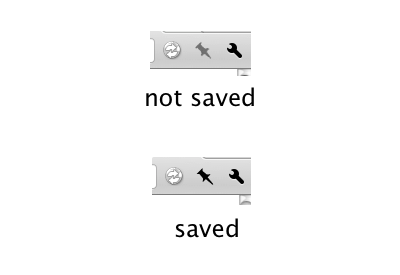
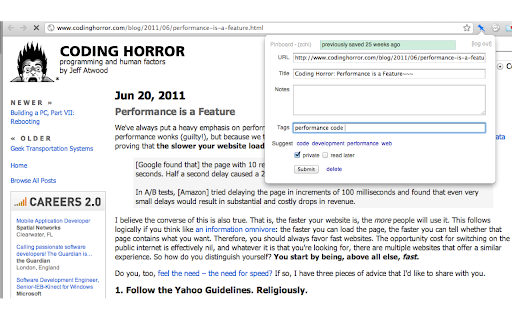
I love that this extension turns the pin blue if your on a page you've already saved. Also love that I click the extension icon and it pops the form right up. What I don't like is fairly often (estimate every two weeks) it silently fails to save. You don't find out until you go to save your next one where you see a red bar at the bottom informing you the last one wasn't saved. For the last two years I thought this was some issue with the API service being down but just happened to install a second pinboard Chrome extension that can save while Pinboard Plus is doing this. I'd give it one star but for the pin icon changing to blue for saved pages and not having to click twice to save a page (the other extension has this annoying sub-menu you can't eliminate.
Great extension when it works. But it stopped working. Can no longer log in via the API Token. Just times out with an error, but doesn't say what the error is :(
It's good, but I wish it didn't truncate large quotes. I'll probably return to the bookmarklet if that doesn't change or become optional.
Nice extension when it works. The silent failures from API issues is a problem. I have no way of knowing if my bookmarks have actually saved or not...
As Crispin Bennett noted, the suggested tags can't be clicked so all tags have to be typed out in full. HUGE privacy concern: by default sends every URL to Pinboard, giving the pinboard owner a full list of every site you've ever visited. One can disable this functionality. Next issue: when a site has been pinned, the bookmark bar pin icon only turns a slightly darker shade of grey instead of something helpful like red. On the plus side, works when you have javascript turned off on a page. A near miss. The tag editing needs to be fixed, the pinned icon should be red on a previously pinned page and the automatic pinging of Pinboard.in should be turned off by default. Using Pinboard Right instead which is amazing.
Works very well except it's missing the Tab Sets feature.
I have trouble sometimes when I click the pin to pin a URL...and the pin displays the window, and I enter my tags....and then, sometimes I can't click the Submit button, or even when I do, the tags aren't saved. When it works it works! But sometimes there are glitches.
Good work. Edit: Moved both problems to support tab. TL;DR: Extension pings Pinboard.in with all private URI except "chrome://", and extension will tell new users "login failed" if Pinboard API is offline, but will silently fail to store bookmarks for anyone else.
Does not work 100%. When I bookmark a previously saved page again, that has some notes, the notes field in this extension is shown empty.
It's a pinboard! yay
This was one of my most useful pinboard extensions, although I didn't use it to pin stuff (used the official bookmarklet instead, worked better for my purposes), but the icon changing color to indicate whether or not a site was bookmarked was incredibly useful to me. (although a different color than black/grey would be appreciated; it's often difficult to differentiate.) I say was, since this functionality seems to have vanished since the last update. I tried uninstalling and reinstalling, and now I can't login. Hopefully these problems will be resolved soon, in which case I highly recommend this extension. ETA: this had been fixed and is now again my same issue two years later :(
Permissions (3)
Permissions
Details
| Version | 3.5.0 |
| Updated | Feb 17, 2026 |
| Size | 303KiB |
| First Seen | Mar 26, 2026 |
Popular in workflow




Popular Extensions
