
Woocommerce Product Extractor
v1.3 Updated Jan 13, 2025 228KiB
⚠️Not updated in over a year ⚠️Below average rating
Description
Creating a similar Chrome extension for WooCommerce would involve developing a new tool with features tailored to WooCommerce's platform. Here's a conceptual outline for a WooCommerce Data Extractor extension:
Introduction
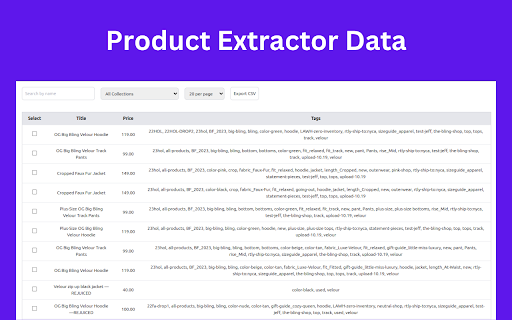
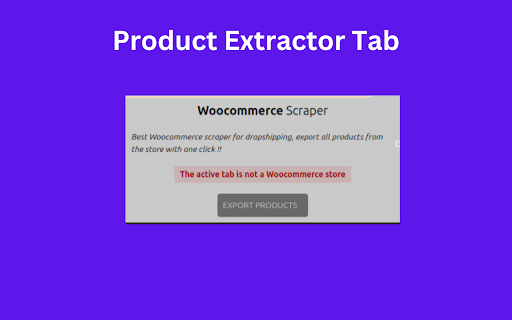
WooCommerce Data Extractor is a powerful Chrome extension designed to enhance your WooCommerce experience. This user-friendly tool simplifies the process of exporting WooCommerce product data, providing a seamless solution for managing and analyzing your online store information.
Key Features
Effortless Export:
-Enjoy the convenience of a one-click export, allowing you to gather all pertinent product data into a neatly organized CSV file.
Bookmarking Made Easy:
-Instantly bookmark your favorite WooCommerce stores with a single click, making it effortless to revisit and manage your preferred online shopping destinations.
Comprehensive Data Export:
-Export product links for a holistic overview.
-Select specific categories or tags for a tailored export experience.
-Handpick individual products or entire product ranges for a customized export.
-Utilize a powerful search feature to find and export specific products efficiently.
Product Insights:
Gain valuable insights before exporting by previewing product details such as descriptions, variations, and prices.
Data Confidentiality:
Rest easy knowing that all your product data is processed locally on your computer. At no point does it traverse our web servers, ensuring the utmost confidentiality. Your store's information remains private, known only to you.
IMPORTANT NOTE:
WooCommerce Data Extractor is an unofficial application and is not affiliated with or endorsed by WooCommerce. It is independently developed and maintained for the convenience of WooCommerce users.
Installation Guide:
-Visit the Chrome Web Store.
-Search for "WooCommerce Data Extractor."
-Click "Add to Chrome" and follow the installation prompts.
-Once installed, you'll find the extension icon in your Chrome toolbar.
Disclaimer:
This extension is not associated with the official WooCommerce site. It is an independent tool developed to enhance the user experience for WooCommerce store owners.
Reviews
Loading reviews...
Permissions (1)
Permissions
activeTabℹ Can access the current tab when you click the extension
Details
| Version | 1.3 |
| Updated | Jan 13, 2025 |
| Size | 228KiB |
| First Seen | Mar 26, 2026 |
More by gravitymaster97

Justdial Extractor
by gravitymaster97
337
★ 0.00
tools
337
★ 0.00
tools

Bulk Save and Rename Images
by gravitymaster97
33
★ 0.00
tools
33
★ 0.00
tools

Invoice Generator
by gravitymaster97
4
★ 0.00
accessibility
4
★ 0.00
accessibility

Auto Fill Input Form
by gravitymaster97
3
★ 0.00
tools
3
★ 0.00
tools

Woocommerce Catalog PDF Generator
by gravitymaster97
1
★ 0.00
functionality
1
★ 0.00
functionality
Popular in workflow

Adobe Acrobat: PDF edit, convert, sign tools
by Adobe Inc.
331M
★ 4.40
workflow
331M
★ 4.40
workflow

AdBlock — block ads across the web
by AdBlock
62M
★ 4.48
workflow
62M
★ 4.48
workflow

Adblock Plus - free ad blocker
by eyeo GmbH
41M
★ 4.39
workflow
41M
★ 4.39
workflow

Chrome Remote Desktop
by Chrome Remote Desktop Release Managers
38M
★ 3.14
workflow
38M
★ 3.14
workflow

Microsoft Single Sign On
by Microsoft
36M
★ 2.27
workflow
36M
★ 2.27
workflow
Popular Extensions
Adobe Acrobat: PDF edit, convert, sign tools
by Adobe Inc.
331M
★ 4.40
workflow
331M
★ 4.40
workflow
AdBlock — block ads across the web
by AdBlock
62M
★ 4.48
workflow
62M
★ 4.48
workflow

Grammarly: AI Writing Assistant and Grammar Checker App
by Grammarly
42M
★ 4.50
communication
42M
★ 4.50
communication
Adblock Plus - free ad blocker
by eyeo GmbH
41M
★ 4.39
workflow
41M
★ 4.39
workflow
Chrome Remote Desktop
by Chrome Remote Desktop Release Managers
38M
★ 3.14
workflow
38M
★ 3.14
workflow