Share on Facebook™ icon

Share on Facebook™

by BrowserNative

v0.20 Updated Jun 27, 2024 14.79KiB
CWS
6K
Users
★ 4.04
48 reviews
#9907
of 207.1K
social
#406 of 5.9K
⚠️Not updated in over a year

Description

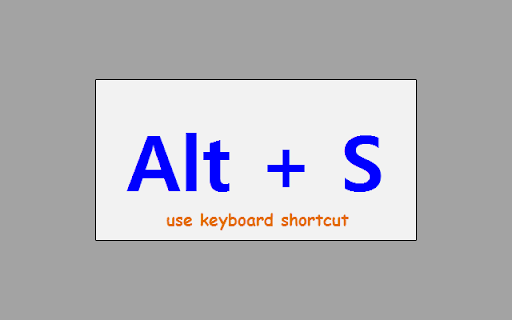
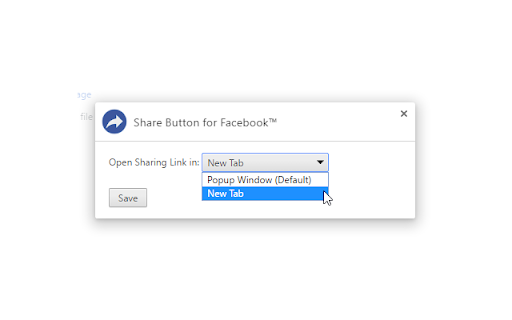
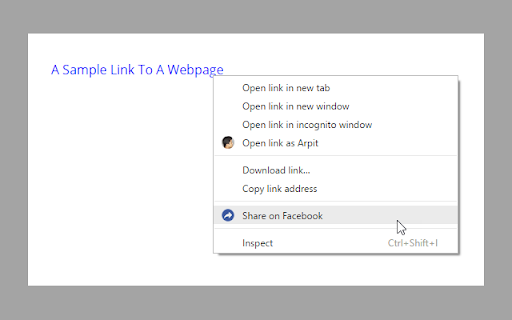
Use extension's toolbar button or the keyboard shortcut Alt + S to quickly share the current web page on Facebook. After successful completion, the sharing popup window closes automatically. Moreover, You can right click on any link or image, and select the "Share on Facebook" option to easily share that on Facebook. By default it opens in a popup window but, you can set it to open in a new tab. Any feedback or suggestion? Send via email at browsernative.apps@gmail.com, or visit homepage: https://browsernative.com/facebook-share-button/ Not affiliated with or created by Facebook. Extension by BrowserNative.
Share on Facebook™ screenshot 1Share on Facebook™ screenshot 2Share on Facebook™ screenshot 3Share on Facebook™ screenshot 4

Reviews (10 cached)

★☆☆☆☆2026-02-07
Jim Rose

No longer works.

★☆☆☆☆2025-03-02
Nika Nakaidze

Stopped working

★☆☆☆☆2021-10-09
michael quimby

Crashes

★☆☆☆☆2019-05-22
BourneRoot

Continuously tries to not let me sit there and share to the page and of the groups getting sick of it and it will be replaced if this is not fixed I will remove it

★☆☆☆☆2016-10-23
Gonçalo Almeida

Not working on my chrome Version 53.0.2785.143 m (64-bit).

★☆☆☆☆2016-10-01
Robert Persson

Installed it, clicked the button and nothing happened.

★☆☆☆☆2016-08-06
Danny F.

Does Not work

★☆☆☆☆2016-06-03
Sally Poulson

This would be a good extension -- if it actually worked. Click on it to add a page to FB, wait, wait some more, keep waiting... and nothing happens. Check settings and options... still nothing. I have no idea if the fault is with my set-up or with the app, but either way, it's a lot quicker and easier just to c&p the link and simply not bother with this extension.

★★☆☆☆2024-09-22
Richard Dickson

Using on Brave, the window that pops up doesn't show the buttons that let you actually make the post.

★★★☆☆2020-04-14
David “Quinoje” Harris

Works great most of the time but recently posted to a group I last posted to rather than defaulting to my timeline...NO IDEA WHY. Seems like a huge bug :(

Permissions (5)

Permissions

activeTab Can access the current tab when you click the extension contextMenus Can add items to the right-click menu declarativeContent Can show the extension icon based on page content scripting Can inject scripts into web pages storage Can store data locally in your browser

Details

Version 0.20
Updated Jun 27, 2024
Size 14.79KiB
First Seen Mar 28, 2026