
Cirrus Insight for Gmail
vg40aa86 Updated Mar 26, 2026 466KiB
✅Recently updated
Description
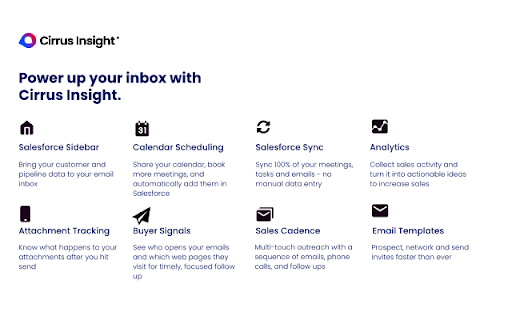
✓Salesforce Sidebar for Gmail and Outlook
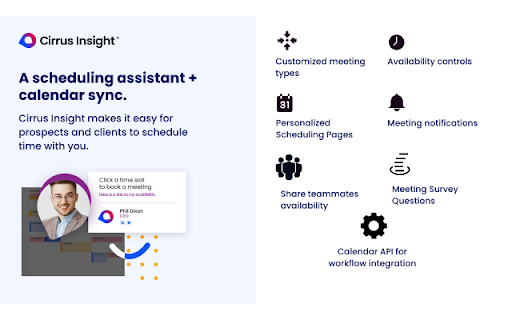
✓Calendar Scheduling with Personal Scheduling Pages
✓Salesforce Sync - Calendar Events, Emails, and Tasks
✓Buyer Signals - Track Email Opens, Link Clicks, and Website Visits
✓Sales Cadence - Multi-touch Outreach with a Sequence of Activities
✓Email Templates - Personalize and Send Emails To Prospect Faster
✓Plus, everything you typically do in Salesforce, all inside your inbox
Free teams from trivial CRM tasks and activities.
Constantly entering data, copying and pasting, and toggling between applications is cumbersome. Reclaim time for actions that provide value, not busy work.
A seamless experience across all devices, for all users.
The sidebar and mobile interface ensures you’re no more than 1-click away from your next customer workflow. Whether it’s logging an email, task or call, managing your sync settings or sharing your calendar, we’re here to optimize your pipeline.
Sync for Calendar and Email
Automate scheduling and let Cirrus Insight sync everything. Capture smart insights on your customer meeting data so you can keep your pipeline healthy. Cirrus Insight supports the most diverse mix of email services connected to many Salesforce instances, including Gmail and Outlook.
Be a Performer: Increase your conversion rate.
Reduce wasted opportunities by executing the right activity with the right people. From buyer signals to drip campaigns, automated tools can help you close deals.
For IT:
Support for all versions of Salesforce including Community Cloud
Managed deployments and Admin controls
Automatic or Managed Updates
Enterprise Analytics, Cloud Data Warehousing, Data Warehousing, Dashboards, and Business Intelligence



Reviews (1 cached)
★☆☆☆☆2018-06-12
Jeff Weeks
I can't get it to work reliably. It breaks connections frequently and due to lag time on syncs, you can't confirm that emails are being saved in Salesforce. As best, you should only count on it if you plan to manually save every email you send/receive on the sometimes available "sidecar".
Permissions (3)
Permissions
backgrounddeclarativeNetRequestWithHostAccess storageℹ Can store data locally in your browser
Details
| Version | g40aa86 |
| Updated | Mar 26, 2026 |
| Size | 466KiB |
| First Seen | Mar 30, 2026 |
Popular in workflow

Adobe Acrobat: PDF edit, convert, sign tools
by Adobe Inc.
331M
★ 4.40
workflow
331M
★ 4.40
workflow

AdBlock — block ads across the web
by AdBlock
63M
★ 4.48
workflow
63M
★ 4.48
workflow

迅雷下载支持
by Shenzhen Xunlei Network Technology Co., Ltd.
59M
★ 2.77
workflow
59M
★ 2.77
workflow

Adblock Plus - free ad blocker
by eyeo GmbH
41M
★ 4.39
workflow
41M
★ 4.39
workflow

Chrome Remote Desktop
by Chrome Remote Desktop Release Managers
38M
★ 3.14
workflow
38M
★ 3.14
workflow
Popular Extensions
Adobe Acrobat: PDF edit, convert, sign tools
by Adobe Inc.
331M
★ 4.40
workflow
331M
★ 4.40
workflow
AdBlock — block ads across the web
by AdBlock
63M
★ 4.48
workflow
63M
★ 4.48
workflow
迅雷下载支持
by Shenzhen Xunlei Network Technology Co., Ltd.
59M
★ 2.77
workflow
59M
★ 2.77
workflow

Grammarly: AI Writing Assistant and Grammar Checker App
by Grammarly
42M
★ 4.50
communication
42M
★ 4.50
communication
Adblock Plus - free ad blocker
by eyeo GmbH
41M
★ 4.39
workflow
41M
★ 4.39
workflow