
⚠️Not updated in over 2 years
Description
A tool to help you quickly save every important Sign Up for easy access.
FUNCTIONALITY
- Save Sign Ups
- Access saved Sign Ups
- Delete Sign Ups
PROCESS
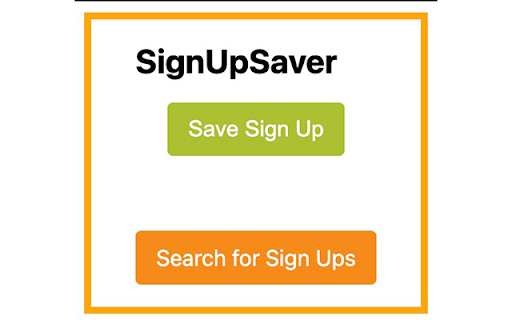
1. Navigate to a Sign Up directly or find one by clicking on the [Search for Sign Ups] button.
2. Click on the SignUpSaver Chrome extension.
3. Click on the green [Save Sign Up] button.
4. The Sign Up will automagically save and can be quickly accessed from the SignUpSaver list.
5. Click on the red [X] to permanently delete a Sign Up.
NERD NOTES
- This tool will only help you save Sign Ups created on SignUpGenius.com.
- The Sign Ups are saved as bookmarks in a folder titled "SignUpSaver", which is located inside the "Other Bookmarks" folder.
- The SignUpSaver bulb icon will shift from grayscale to a colorized version when viewing a valid Sign Up page on SignUpGenius.com.
DISCLAIMER
This is Chrome extension was developed independently from SignUpGenius.com and is not affiliated in any way.


Reviews
Loading reviews...
Permissions (2)
Permissions
bookmarksℹ Can read and modify your bookmarks tabsℹ Can see your open tabs and their URLs
Details
| Version | 1.0.1 |
| Updated | Mar 20, 2023 |
| Size | 916KiB |
| First Seen | Mar 26, 2026 |
More by identityindecision

Popular in workflow

Adobe Acrobat: PDF edit, convert, sign tools
by Adobe Inc.
331M
★ 4.40
workflow
331M
★ 4.40
workflow

AdBlock — block ads across the web
by AdBlock
63M
★ 4.48
workflow
63M
★ 4.48
workflow

迅雷下载支持
by Shenzhen Xunlei Network Technology Co., Ltd.
59M
★ 2.77
workflow
59M
★ 2.77
workflow

Adblock Plus - free ad blocker
by eyeo GmbH
41M
★ 4.39
workflow
41M
★ 4.39
workflow

Chrome Remote Desktop
by Chrome Remote Desktop Release Managers
39M
★ 3.14
workflow
39M
★ 3.14
workflow
Popular Extensions
Adobe Acrobat: PDF edit, convert, sign tools
by Adobe Inc.
331M
★ 4.40
workflow
331M
★ 4.40
workflow
AdBlock — block ads across the web
by AdBlock
63M
★ 4.48
workflow
63M
★ 4.48
workflow
迅雷下载支持
by Shenzhen Xunlei Network Technology Co., Ltd.
59M
★ 2.77
workflow
59M
★ 2.77
workflow

Grammarly: AI Writing Assistant and Grammar Checker App
by Grammarly
42M
★ 4.50
communication
42M
★ 4.50
communication
Adblock Plus - free ad blocker
by eyeo GmbH
41M
★ 4.39
workflow
41M
★ 4.39
workflow