
Description
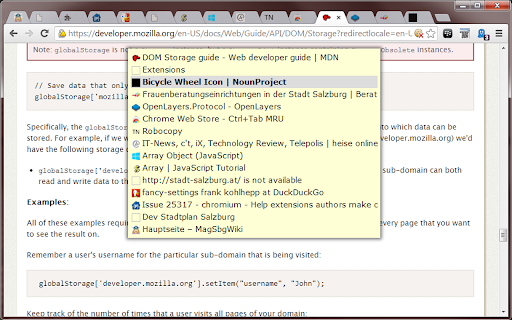

Reviews (35 cached)
2025.09.19.Fr.14.10. in my experience this "Ctrl+Tab MRU" extension doesn't work at all on Chromium for Windows.11.
no worky
Doesn't work. Options greyed out.
does not work. inactive options.
Seems to work. Just using CTRL-Y instead. Ah, just stopped working!
doesn't work in chrom
does not work
Does not work. Options inactive.
It't doesn't working at all :/.
does not work :(
Ctrl + Tab is no longer bindable, i.e this extension no longer work. It should be removed from Chrome Extension library to help people from installing it and wondering how to customize Ctrl + Tab
Does not work
Does not work on Mac
already had. Stupid. hate it
Not working at all. Just walks the tabs from left to right.
Doesn't work.
Thanks to the publisher, but can't set keyboard shortcut to ctrl+tab. I can't believe how blinkered and anti-user Google are being over this issue. It's like MRU switching wasn't a GUI default since Xerox invented them in the 70s.
doesn't work witch ctrl tab
unstable performance
doesnt workin on my mac
Under too many circumstances, I don't have Ctrl-Tab access to most of my open tabs.
I can't get it to work correctly on Chromebook. As stated I can't set CRTL-Tab, but that's ok. I have tried CTRL-Q and it works for the last tab, but if I want to go back in history it opens a new tab with soft of a drop-down list of recent tabs that I can't even click on. I'll keep searching...
Does not work
This is not working when the shortcut doesn't involve the ctrl key. (For example when using alt-x)
The product only worked one time. After that anytime I tried using Ctrl+Tab it just walked the tabs from left to right. The product should also work when closing tabs it should take you to the MRU tab.
dosen't work anymore... it's could be nice if it works
Does not cycle between 'most recently used' (i.e. MRU) tabs. needs two different short cuts (one goes forward the other backward). Does not follow the pattern advertised by it's name.
when I click ctrl+tab too fast it doesn't work because it stays on that temporal windows you create to display the order. don't you can avoid that window?
Works great. For ease of use I set my keyboard shortcuts to Ctrl + Q and Ctrl + Shift + Q. Also, enabled in Incognito and in file URLs. EDIT: Somehow, not all open tabs are listed in its menu. Have to downgrade my rating, unfortunately.
There is an issue with this extension. At times it does not show all the open tabs when you press ctrl+q (or whatever is the shortcut). Then I have to manually restart the extension, after which it works for a while.
This doesn't direct me to the most recent tab. It seems the order is close but not quite right.
Could actually change Ctrl + Tab behavior which was the reason I was not using Chrome thanks to Radek Zyka trick. Make sure you set the file Preferences to "read only" after the change it otherwise returns to default. Edit: Experiencing glitches with MRU order after a few days.
Probably the best MRU tab switching extension currently available (though that's not really saying much). It seems there's quite a few limitations in Chrome that these extensions have to work around, and so far this extension seems to do the best job of handling those limitations in a graceful way. Unfortunately there's a lot of buggy behavior, with tab switching occasionally not working, and tabs sometimes being ignored by the extension entirely (see the support tab for my bug reports on those issues).
does not work :(
I cant input ctrl+tab in the keyboard shortcuts page. It just ignores it or if other tabs are open ignores it and jumpes to the next tab.
Permissions (3)
Permissions
Details
| Version | 0.9 |
| Updated | Oct 12, 2023 |
| Size | 15.2KiB |
| First Seen | Mar 26, 2026 |
Popular in workflow




Popular Extensions
