
Description
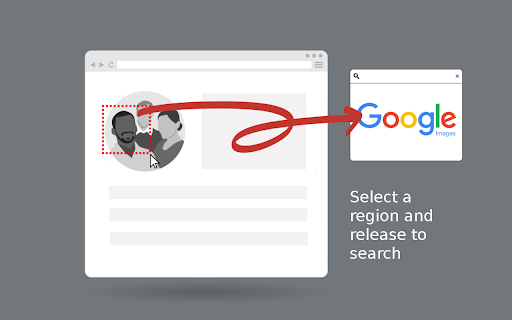
With a single click on the extension icon, effortlessly capture any region of a webpage that piques your interest. No need to save or download images – just select and release.
The extension offers two capture modes:
- Auto-detect mode: Automatically identifies and highlights webpage elements as you hover over them. Simply click when the desired element is highlighted.
- Manual selection mode: Click and drag to select any custom region on the page.
Toggle between modes by pressing the Alt key during selection, or set your preferred default in the options page (right-click the extension icon).
Watch the magic happen as your captured image is instantly sent to Google Images for a seamless visual search experience. Discover similar images, the origin of your captured image and get more information about the image.
Why not rely on Chrome's default 'Search image with Google' feature?
Because conducting a direct search on Google Images often yields distinct results. There are instances where navigating through Google Lens and selecting 'find image source' fails to provide any results whatsoever.
Here are some user cases where Screenshot Search can be incredibly useful:
- Celebrity Name Discovery:
Easily uncover the name of a celebrity by capturing their face.
- Online Video Item Identification (people, locations, objects):
Identify and locate an item that caught your eye while watching an online video by pausing then capturing its image.
- Selective Capture for Precision Search:
Refine your search by capturing only the specific part you're interested in while excluding the rest, ensuring precise and focused results.
- Search Inaccessible Web Images:
Seamlessly search images that are otherwise difficult to access on web pages like backgrounds and programmatically restricted images using the mouse capture feature.
- Online Shopping:
Shoppers can capture product images they like and quickly find similar items or better deals across different websites.
- Skip The Google Lens Step:
Eliminate the need to go through google lens "Search image with Google" option each time you want to make a search on Google Images.
Reviews (5 cached)
★☆☆☆☆2024-11-22
Adar Bronstein
I do not understand why this extension which is seemingly great, requires permission to read my browsing history. Other extensions that do the same thing don't need it.
★☆☆☆☆2024-06-04
J. H.
not working
★☆☆☆☆2024-05-31
A A
Doesn't paste your screenshot into an image search and pastes it into the regular google search instead, providing no results and making it unusable
★★☆☆☆2024-02-09
Alex
No matter what image I search it seems it does not yield any result. perhaps google changed something?
★★★☆☆2024-05-03
Alexander Gremory
This extension was a life saver and one of my most used tools, however as 05/03/2024 for some reason it has stopped working and just opens a new google images page without doing the search. TBF, I use Opera GX Browser, so it may still work on Chrome.
Permissions (4)
Permissions
activeTabℹ Can access the current tab when you click the extension scriptingℹ Can inject scripts into web pages storageℹ Can store data locally in your browser tabsℹ Can see your open tabs and their URLs
Details
| Version | 2.1 |
| Updated | May 18, 2025 |
| Size | 79.84KiB |
| First Seen | Mar 31, 2026 |
More by mondersky



Popular in tools

Zotero Connector
by Zotero
8M
★ 3.96
tools
8M
★ 3.96
tools

Browsec VPN - Free VPN for Chrome
by Browsec
7M
★ 4.44
tools
7M
★ 4.44
tools

AnyDoc Translator - Translate Web and PDF
by www.wps.com
7M
★ 4.58
tools
7M
★ 4.58
tools

WPS PDF - Read, Edit, Fill, Convert, and AI Chat PDF with Ease
by www.wps.com
7M
★ 4.45
tools
7M
★ 4.45
tools

Video DownloadHelper
by Aclap
5M
★ 4.43
tools
5M
★ 4.43
tools
Popular Extensions

Adobe Acrobat: PDF edit, convert, sign tools
by Adobe Inc.
331M
★ 4.40
workflow
331M
★ 4.40
workflow

AdBlock — block ads across the web
by AdBlock
63M
★ 4.48
workflow
63M
★ 4.48
workflow

迅雷下载支持
by Shenzhen Xunlei Network Technology Co., Ltd.
59M
★ 2.77
workflow
59M
★ 2.77
workflow

Grammarly: AI Writing Assistant and Grammar Checker App
by Grammarly
42M
★ 4.50
communication
42M
★ 4.50
communication

Adblock Plus - free ad blocker
by eyeo GmbH
41M
★ 4.39
workflow
41M
★ 4.39
workflow