Flowchart Maker icon

Flowchart Maker

by Software Helper

v1.0 Updated May 17, 2019 132KiB
CWS
7K
Users
★ 2.67
12 reviews
#6936
of 151.1K
Other
Category
⚠️Not updated in over 2 years ⚠️Below average rating

Description

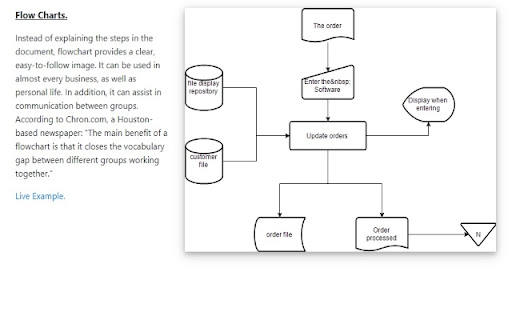
A flow chart is a graphical method of presenting a process. Each step of the process is represented by a different symbol and it contains the steps/decision to take during that step. The steps are linked together with arrows to show how a particular process works in an organization. Flowcharts can also be known as process models, process charts, decision process diagrams and much more. The common factor is that any process/decision is broken down into steps, and users would know the information required etc to make a decision. Main Benefits of Using Flowcharts - Knowledge transfer as new employees can be trained on the methodology on how to make decisions within the organization - Clear rules for employees on how to handle specific scenarios - Allows every individual to understand how decisions are arrived at and avoids ambigious situations as there is clear process guidelines in place - Allows better decisions to be made, as the process of how to make decisions can be updated/debated - Helps to make businesses run more efficiently as processes can be examined and modified Standard Flow Chart Symbols Used Oval Shapes - Indicates the start/end of the process Rectangular Shape - Indicates a step in the process Diamond Shape - Indicates a decision/branch in the flow chart Arrows - Indicates the flow of the process Core Features of our Free Flowchart Maker - Create unlimited flow charts to document any business process/decision making within your organization - flow charts can be saved into your Google Drive/Local Computer - 5+ free flowchart templates which you can edit to create your own flowcharts - Share your Flow Chart with other team members/individuals by creating a shared folder inside Google Drive - Step by step tutorial on how to create your own flow chart - Collaborate with your classmates/colleagues and allow them to edit the flowchart as well
Flowchart Maker screenshot 1Flowchart Maker screenshot 2

Reviews (6 cached)

★☆☆☆☆2021-05-23
Carl Last

Not an app

★☆☆☆☆2020-09-16
mike smith

Don't waste your time designing a chart, because it will not allow you to save it in a useable format to your computer. Errors out every time.

★☆☆☆☆2019-12-31
Jeremy Pope

App isn't bad, but doesn't integrate with google drive at all. Forces downloading files to my PC and also tries to force installing a program on my pc.

★☆☆☆☆2019-11-03
Philip Herlitz

How do I launch within Google Drive?

★★☆☆☆2020-08-27
John Jinseok Yang

The user interface is not the same size of my monitor,. I can't see the important side bars/top bars. Pretty simple and easy to use however, and there are enough features to do what I need to do. Had to export via 'print to PDF' because saving/exporting won't do it. Overall, some huge inconveniences, but it's a free software that fits my needs. That being said, I'll probably try another free service in the future.

★★★☆☆2020-03-20
Christian Talento

Easy to use. Export function is not working though.

Details

Version 1.0
Updated May 17, 2019
Size 132KiB
First Seen Mar 29, 2026