PassWatch icon

PassWatch

by Pango GmbH

v1.2.1 Updated Jan 10, 2025 5.23MiB
CWS
2K
Users
★ 3.33
6 reviews
#14907
of 208.5K
workflow
#4129 of 32K
⚠️Not updated in over a year ⚠️Requests 1 sensitive permission

Description

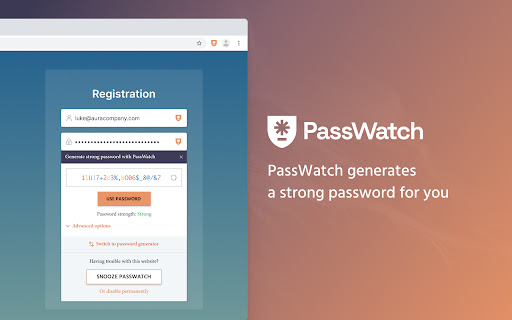
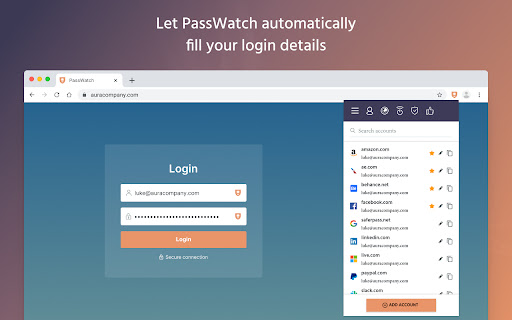
The special Secure Me feature allows you to log out remotely and wipe your browser history. • Never forget a password again with secure automatic login • Protect your accounts by generating strong and unique password • Access your accounts from all your devices • Logout from every website and secure your browsing history remotely We use modern cryptography to make sure that no one else except you can access your personal accounts. PassWatch utilizes AES-256 encryption implemented with salted hashing. All your sensitive data are encrypted and decrypted locally on your machine. PassWatch only stores and synchronizes encrypted files, so it is impossible for us or anyone who doesn't know your master password to access your passwords, credit card information or notes. Only you know your master password, PassWatch never has it or sees it. We've invested considerable time and effort with the aim to provide you the best product combining top security, maximum convenience, and low system footprint. We’re adding features an improving service standard as we go. If you are not satisfied with the extension, you can remove it at any time from your browser. By using PassWatch, you agree to our terms of service https://passwatch.co/terms-of-service/ and privacy policy https://passwatch.co/privacy-policy/. We’re committed to your privacy and keeping you safe in the online world. If you’re worried, connect with us here or on social media.
PassWatch screenshot 1PassWatch screenshot 2PassWatch screenshot 3PassWatch screenshot 4PassWatch screenshot 5

Reviews (4 cached)

★★☆☆☆2025-10-27
Adrian Jordan

Can you update the application for Android?

★★☆☆☆2025-08-25
Frank P

Why can't I get an application to login to?!? Having just the extension to a browser option is not useful when you need to login to see your password on a specific account. Fix it!

★★★☆☆2024-09-29
Jim Cross

Was easy to transfer my PWs from Kaspersky over to here. But when I log on here, it keeps sending me back to the install the extensions each time. Can't tell that they are already installed on my browsers.

★★★☆☆2024-09-06
Lisa Thompson

It does do a very good job of retaining passwords, but when there's trouble, help isn't available right away. I emailed support because it just quit working with no way of logging back in & I'm still waiting on a reply. In the meantime, I'm having to rebuild my passwords so I can gain access to all of my cloud-apps. It's very time-consuming and frustrating that support isn't available in the middle of a US workday.

Permissions (10)

Permissions

activeTab Can access the current tab when you click the extension bookmarks Can read and modify your bookmarks browsingData Can delete browsing history and data clipboardWrite Can write to your clipboard contextMenus Can add items to the right-click menu cookies Can read and modify browser cookies privacy Can change privacy-related browser settings storage Can store data locally in your browser tabs Can see your open tabs and their URLs unlimitedStorage

Details

Version 1.2.1
Updated Jan 10, 2025
Size 5.23MiB
First Seen Mar 25, 2026
