
Social Post Mate (Commenter AI partner)
v5.0.1 Updated Feb 3, 2026 2.22MiB
⚠️Requests 1 sensitive permission
Description
(Using the commenter.ai platform is highly recommended. The Social Post Mate and Commenter AI partnership is going to end soon. Please, start using the commenter.ai platform. Thank you.)
Use the power of technology to get the text from the LinkedIn, Facebook and Twitter posts that you like so you can save them for your future reference. No need to use the old-school method of copying text, now you just need to click on the button on the top of the post and it will automatically do it for you. Then you just need to choose the place to paste it. That's all. It is as simple as that, even a kid can do it.
Step 1: Pin the extension
Step 2: Turn it on
Step 3: Choose the post that you like on LinkedIn, Twitter or Facebook
Step 4: Click on the button that looks like the "Social Post Mate" icon of the Chrome extension in the upper right corner
That's all.
Now you have the text of the post and you can paste it and save it for future reference.
Update in 2.0 version:
Thanks to our recent deal with Commenter.ai:
Now you can generate comments directly on LinkedIn.
Step 1: Get your API from Commenter.ai
Step 2: Add your API in Social Post Mate
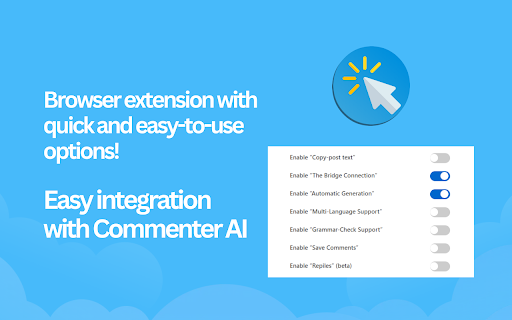
Step 3: Turn "The Bridge Connection" ON
You are ready to generate meaningful comments.
Update in 3.0.0:
- Long/short comments
- Multi-language support
- Replies (beta)
Update in 3.3.0:
- New styles
- Video course - Effective commenting with Commenter AI



Reviews
Loading reviews...
Permissions (5)
Permissions
clipboardWriteℹ Can write to your clipboard cookiesℹ Can read and modify browser cookies storageℹ Can store data locally in your browser unlimitedStorage webNavigationℹ Can monitor navigation events
Details
| Version | 5.0.1 |
| Updated | Feb 3, 2026 |
| Size | 2.22MiB |
| First Seen | Mar 29, 2026 |
Popular in workflow

Adobe Acrobat: PDF edit, convert, sign tools
by Adobe Inc.
331M
★ 4.40
workflow
331M
★ 4.40
workflow

AdBlock — block ads across the web
by AdBlock
62M
★ 4.48
workflow
62M
★ 4.48
workflow

迅雷下载支持
by Shenzhen Xunlei Network Technology Co., Ltd.
59M
★ 2.77
workflow
59M
★ 2.77
workflow

Adblock Plus - free ad blocker
by eyeo GmbH
41M
★ 4.39
workflow
41M
★ 4.39
workflow

Chrome Remote Desktop
by Chrome Remote Desktop Release Managers
38M
★ 3.14
workflow
38M
★ 3.14
workflow
Popular Extensions
Adobe Acrobat: PDF edit, convert, sign tools
by Adobe Inc.
331M
★ 4.40
workflow
331M
★ 4.40
workflow
AdBlock — block ads across the web
by AdBlock
62M
★ 4.48
workflow
62M
★ 4.48
workflow
迅雷下载支持
by Shenzhen Xunlei Network Technology Co., Ltd.
59M
★ 2.77
workflow
59M
★ 2.77
workflow

Grammarly: AI Writing Assistant and Grammar Checker App
by Grammarly
42M
★ 4.50
communication
42M
★ 4.50
communication
Adblock Plus - free ad blocker
by eyeo GmbH
41M
★ 4.39
workflow
41M
★ 4.39
workflow