
Description

Reviews (46 cached)
Where do I get the menu? Doesn't work, for people who need I recommend Frisky mouse in microsoft store.
Great idea - but doesn't work. Even if I follow the instructions.
didn't work
as others have said it doesn't work (save pressed as instructed)
I cant even turn on the extension, I did as mentioned but did not worked for me.
not working
straight up doesnt work
true. it doesn´t work no.
no me anda :'v
This dont even work for me what is this
Not working for me either.
Doesn't work. Followed instructions.
Does not work at all. What a shame :(
Doesnt work. Wasted 2 minutes of my time
It does not work. I was hoping that it would but ended up wasting my time.
Doesn't work, it's rubbish.
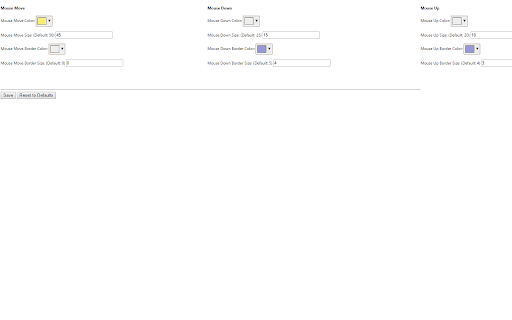
it doesn't even worked. i set the colors i wnted to be and clicked "save" and clicked around on my screen and my mouse didn't do anything. am i doing something wrong? help? and if i am doing everything right and not getting anything from it, this extension is a 1/5 stars.
Your extension is a failure, please fix it. The documentation does not explain how to enable the feature, waste of time
It was confusing and I didn't know what the hell I was doing + doesn't work. Please fix this.
How hard could it have been to allow this to stay on continuously instead of having to turn it on every time you change pages?
This app never worked at all. Saved various colors, refreshed Chrome, restarted computer, updated Chrome, reverted to default settings, tried again to set colors...nothing worked. Very disappointing.
Tried several time to refresh, save settings, double click, etc. Nothing worked.
Doesent work
doesn't work everytime i click it it doesn't go on
doesn't work
it doesn't work
it dos not work
If it worked I'd give it a 5 star... but it doesn't. I did the 'options...save...reset to default' and nothing, nada, no go, epic fail. To bad, it seems to be the only extension of this type. :(
It didn't even work! I did the things, but my mouse is still the same!
Not working
doesn't even work
Didnt work even after saving.
Didn't work..
it didn't work
It did not work for me at all I found out how to change the color and all those things but it would not seem to work there is much better apps out there then this one.
I installed it. Immediately I saw a yellow highlight and was happy. Seconds later it was gone and no more highlight at all. Tried many things to get it back, but couldn't. I am grateful that this is free, but hope the developers fix this problem as many have posted it's not working for them either. Thanks.
I can't get this to work on my MAC. Any ideas? I have seen it work on Windows and it is pretty awesome. Any suggestions on getting to work on Mac?
it just doesn't work at all. please fix.
Didn't work on mac for some reason.
Doesn't work.
This Chrome extension is generating app errors in developer mode: Line error starts: "$('body').append("<div id='ext-mouse-move'></div>");" (Chrome is not recognizing the $ sign). Error Uncaught ReferenceError: $ is not defined Error Unchecked runtime.lastError while running tabs.executeScript: Cannot access a chrome:// URL I am not the developer, but it appears this is a simple fix. I tired to use this extension, and yes I followed the instructions, but the extension is not working. I'm uninstalling for now, but will be glad to try again when the dev fixes all programming errors. Thanks.
Looking at the developer information in the console, you're missing your jQuery library, so the extension is failing. Line 1 in highlight.js throws an UncaughtException error, making the rest fail.
With the latest release in July 2019, I'm no longer able to go from one web software page to another without the extension turning off. I was using this extension for training, but now I can no longer use it (at least until this is fixed). I have removed and added it back, reset to defaults, etc., but the extension does not stay on. Please fix. Thanks.
It is useful; however, I wish there were an option to keep this turned on even when reloading pages or navigating to other pages. When doing a tutorial, I have to click twice on the highlighter icon every time I load another page. If it had just this one additional feature, I'd rate it 5 stars. But, because it is such an important omission, I'm reducing by 2 stars. I look forward to an update!
Every time I go to a new page it ends up disappearing and I have to click on it again.
it didnt work i saved it and reset it and it works but when i want it on it closes idmediently and then it still doesnt work if i keep trying it does the same thing
Permissions (2)
Permissions
Details
| Version | 1.0 |
| Updated | Jan 21, 2026 |
| Size | 40.13KiB |
| First Seen | Mar 27, 2026 |
More by mckayc


Popular in workflow




Popular Extensions
