
⚠️Not updated in over 2 years ⚠️Very few reviews for its user base
Description
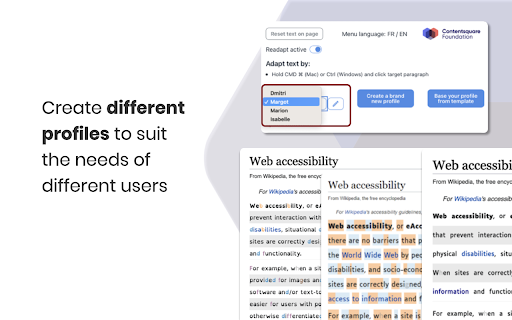
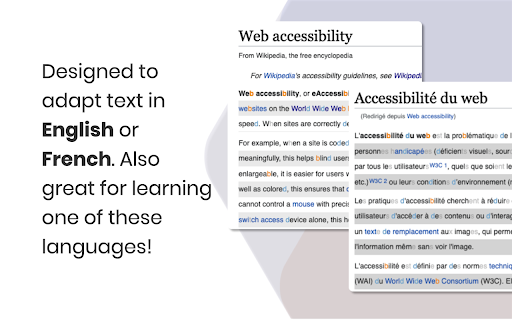
With Readapt, you can customise your reading preferences and adapt text on websites to suit your reading comfort. Designed for those with reading challenges like dyslexia and poor vision to make reading text on their favourite websites more accessible.
How to get started with Readapt:
1. Configure your profile.
2. Adapt text on websites by holding CTRL (Windows) or CMD ⌘ (Mac) and use your mouse to click the text you want to adapt.
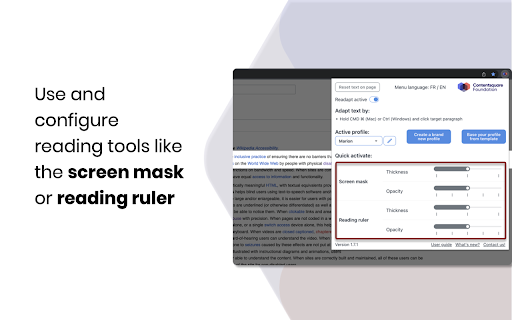
3. Right-click the web page and select "Readapt > Activate Mask/Ruler" to use our reading tools. Hit ESCAPE to deactivate the mask/ruler.
4. Reset the text by clicking on the extension and click "Reset text on page"
Create multiple profiles to suit different users!
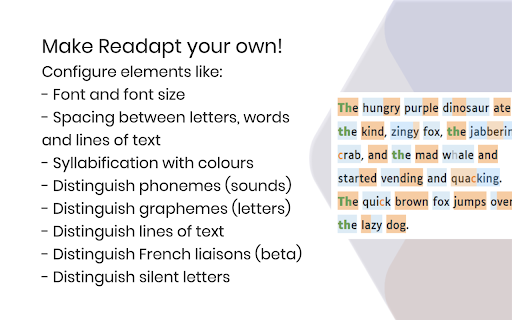
Configure elements like:
- Font
- Font size
- Spacing between letters, words and lines of text
- Distinguishing syllables with colours and their opacity
- Distinguish different phonemes (sounds)
- Distinguish different graphemes (letters)
- Distinguish lines of text (beta)
- Distinguish French liaisons (beta)
- Distinguish silent letters
These features have been known to help dyslexic people and others with reading and concentration challenges to improve their reading.
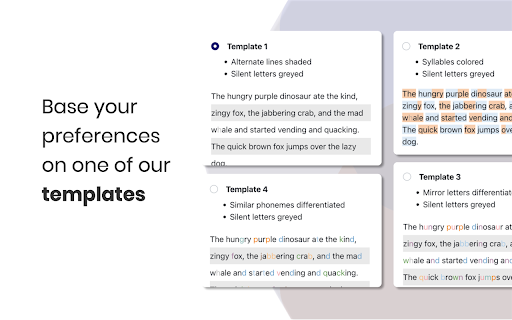
Create your reading profile from scratch or start off from one of our templates.
Currently available in French and English.
Reviews
Loading reviews...
Permissions (3)
Permissions
activeTabℹ Can access the current tab when you click the extension contextMenusℹ Can add items to the right-click menu storageℹ Can store data locally in your browser
Details
| Version | 1.8.3 |
| Updated | Mar 1, 2023 |
| Size | 4.91MiB |
| First Seen | Mar 27, 2026 |
Popular in accessibility

Read&Write for Google Chrome™
by Texthelp
17M
★ 3.44
accessibility
17M
★ 3.44
accessibility

360 Internet Protection
by qihoosafe
17M
★ 4.54
accessibility
17M
★ 4.54
accessibility

Screenshot reader™
by Texthelp
7M
★ 2.57
accessibility
7M
★ 2.57
accessibility

OrbitNote
by Texthelp
7M
★ 2.95
accessibility
7M
★ 2.95
accessibility

Volume Master
by Peta Sittek
6M
★ 4.81
accessibility
6M
★ 4.81
accessibility
Popular Extensions

Adobe Acrobat: PDF edit, convert, sign tools
by Adobe Inc.
331M
★ 4.40
workflow
331M
★ 4.40
workflow

AdBlock — block ads across the web
by AdBlock
63M
★ 4.48
workflow
63M
★ 4.48
workflow

迅雷下载支持
by Shenzhen Xunlei Network Technology Co., Ltd.
59M
★ 2.77
workflow
59M
★ 2.77
workflow

Grammarly: AI Writing Assistant and Grammar Checker App
by Grammarly
42M
★ 4.50
communication
42M
★ 4.50
communication

Adblock Plus - free ad blocker
by eyeo GmbH
41M
★ 4.39
workflow
41M
★ 4.39
workflow