
⚠️Not updated in over 2 years
Description
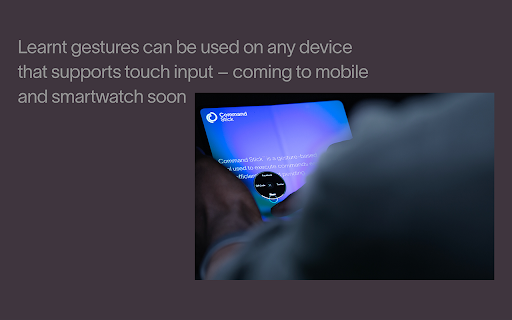
Command Stick™ is designed for speed, ease of use and universal functionality. Execute commands by dragging through the circle’s regions in order.
Navigating to a menu item becomes a single gesture. The real value comes with repetition – users go from navigating a menu to inadvertently learning a gesture. There is no limit on how fast gestures can be performed.
How it works:
1: Summon CS using ctrl+right click or by double right clicking
2: Drag around the circle to select a menu item
3: Release to execute the command
4: The space is reused allowing multiple commands to fit within the small footprint
**Important** : Extensions cannot run on internal chrome pages such as new tab.
Command Stick offers rapid access to:
→ dial scrolling
dial zooming
scroll to top
scroll to bottom
new tab, close tab
toggle full screen
refresh page
zoom reset
copy, paste, cut
delete, undo, redo
share (Twitter)
select all, unselect all
audio accessibility assistance
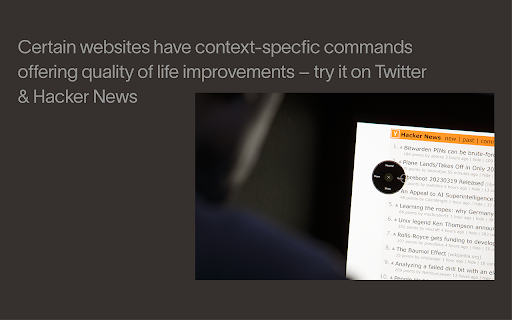
navigation on select webpages
and more!
By default CS summons on second right click – this will display the context menu on initial right click and CS on the second. To swap CS to primary right click, toggle the option in the context menu.
We are currently developing the framework for users to configure custom commands – watch this space!
Please note:
Our service is free, no paid edition & no advertisements. Command Stick™ is fully patented.
Command Stick does not work on Chrome's built-in pages e.g. new tab, because of
Google's security restrictions.
For new feature announcements or just to say hello, follow @CommandStick

Reviews
Loading reviews...
Permissions (3)
Permissions
contextMenusℹ Can add items to the right-click menu storageℹ Can store data locally in your browser tabsℹ Can see your open tabs and their URLs
Details
| Version | 0.0.1.1 |
| Updated | Apr 19, 2023 |
| Size | 225KiB |
| First Seen | Mar 30, 2026 |
Popular in workflow

Adobe Acrobat: PDF edit, convert, sign tools
by Adobe Inc.
322M
★ 4.40
workflow
322M
★ 4.40
workflow

AdBlock — block ads across the web
by AdBlock
62M
★ 4.48
workflow
62M
★ 4.48
workflow

迅雷下载支持
by Shenzhen Xunlei Network Technology Co., Ltd.
59M
★ 2.77
workflow
59M
★ 2.77
workflow

Adblock Plus - free ad blocker
by eyeo GmbH
40M
★ 4.39
workflow
40M
★ 4.39
workflow

Chrome Remote Desktop
by Chrome Remote Desktop Release Managers
37M
★ 3.13
workflow
37M
★ 3.13
workflow
Popular Extensions
Adobe Acrobat: PDF edit, convert, sign tools
by Adobe Inc.
322M
★ 4.40
workflow
322M
★ 4.40
workflow
AdBlock — block ads across the web
by AdBlock
62M
★ 4.48
workflow
62M
★ 4.48
workflow
迅雷下载支持
by Shenzhen Xunlei Network Technology Co., Ltd.
59M
★ 2.77
workflow
59M
★ 2.77
workflow

Grammarly: AI Writing Assistant and Grammar Checker App
by Grammarly
42M
★ 4.50
communication
42M
★ 4.50
communication
Adblock Plus - free ad blocker
by eyeo GmbH
40M
★ 4.39
workflow
40M
★ 4.39
workflow