
⚠️Not updated in over 2 years
Description
CPS (clicks per second) is an important metric for gamers and the CPS Test Pro helps them measure, practice and improve their clicks per second speed for free.
It is simple and easy-to-use extension that works with Google Chrome and Microsoft Edge browsers.
How to use CPS Test Pro?
1. Install the CPS Test Pro extension on your browser.
2. Click on the icon in your browser toolbar to open the CPS Test popup.
3. To start the test, click on the purple button labelled 'Click to Start'.
4. You have 10 seconds to keep clicking as fast as you can.
5. You can see your CPS speed in real-time while you are clicking.
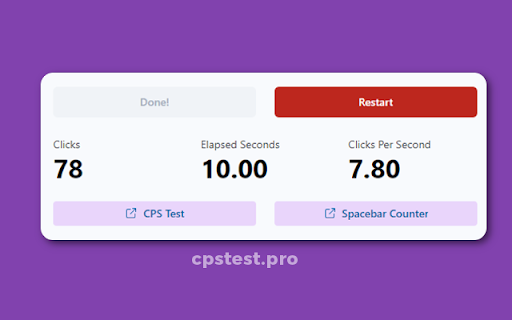
6. After 10 seconds, your final CPS score and total number of clicks are displayed.
7. Use the red 'Restart' button to take the CPS Test again.
Why Use CPS Test Pro?
* Completely Free
* No Ads / Promotion
* Unlimited Restart Option
* Compatible with Chrome & Edge browser


Reviews
Loading reviews...
Details
| Version | 1.0.1 |
| Updated | May 17, 2022 |
| Size | 2.04MiB |
| First Seen | Mar 30, 2026 |
More by Emmel Apps

Click Speed Tester - Check Clicks Per Second
by Emmel Apps
1K
★ 5.00
workflow
1K
★ 5.00
workflow

Chrome Dino Game
by Emmel Apps
1K
★ 5.00
fun
1K
★ 5.00
fun

Black Screen
by Emmel Apps
730
★ 5.00
fun
730
★ 5.00
fun

Spacebar Clicker
by Emmel Apps
535
★ 0.00
fun
535
★ 0.00
fun

White Screen
by Emmel Apps
57
★ 0.00
fun
57
★ 0.00
fun
Popular in workflow

Adobe Acrobat: PDF edit, convert, sign tools
by Adobe Inc.
331M
★ 4.40
workflow
331M
★ 4.40
workflow

AdBlock — block ads across the web
by AdBlock
62M
★ 4.48
workflow
62M
★ 4.48
workflow

Adblock Plus - free ad blocker
by eyeo GmbH
41M
★ 4.39
workflow
41M
★ 4.39
workflow

Chrome Remote Desktop
by Chrome Remote Desktop Release Managers
38M
★ 3.14
workflow
38M
★ 3.14
workflow

Microsoft Single Sign On
by Microsoft
36M
★ 2.27
workflow
36M
★ 2.27
workflow
Popular Extensions
Adobe Acrobat: PDF edit, convert, sign tools
by Adobe Inc.
331M
★ 4.40
workflow
331M
★ 4.40
workflow
AdBlock — block ads across the web
by AdBlock
62M
★ 4.48
workflow
62M
★ 4.48
workflow

Grammarly: AI Writing Assistant and Grammar Checker App
by Grammarly
42M
★ 4.50
communication
42M
★ 4.50
communication
Adblock Plus - free ad blocker
by eyeo GmbH
41M
★ 4.39
workflow
41M
★ 4.39
workflow
Chrome Remote Desktop
by Chrome Remote Desktop Release Managers
38M
★ 3.14
workflow
38M
★ 3.14
workflow