
⚠️Not updated in over 2 years
Description
ChromeAI puts all the power of ChatGPT within your fingertips. Simplify all your writing, emailing, tweeting, translating and texting tasks to just two clicks, without having to leave any of your favourite sites.
Once you have created an account on https://chromeai.co, simply select any text, right click and choose your AI model. ChromeAI will automatically copy your AI-generated response and you can paste it anywhere!
ChromeAI BETA currently provides four different AI models:
1. Prompt AI
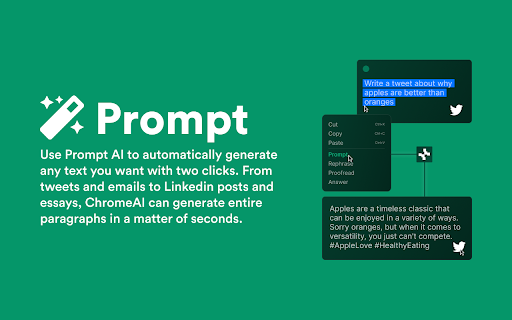
Write a prompt and automatically generate any amount of text you want with two clicks. From tweets and emails to Linkedin posts and essays, ChromeAI can generate entire paragraphs in a matter of seconds. Use Prompt AI to write emails, posts, text messages, essays and anything else you think of!
2. Paraphrase AI
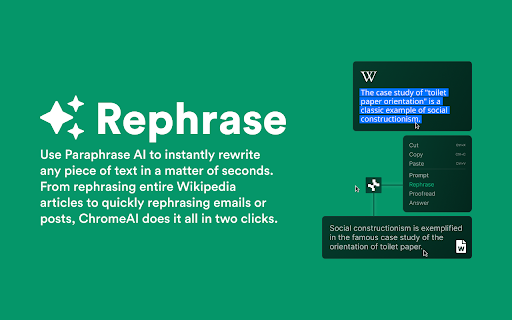
Use Paraphrase AI to instantly rewrite any piece of text in a matter of seconds. From rephrasing entire Wikipedia articles to quickly rephrasing emails or posts, ChromeAI does it all in two clicks. Use Paraphrase AI to quickly include information from other sources to your own posts or essays.
3. Proofread AI
Use ChromeAI to quickly and accurately proofread any text, providing you with a flawless copy of your work with no spelling or grammar errors! Use Proofread AI to quickly reiterate any posts, emails or essays you have written!
4. Question AI
From information about the tallest building in the world to the correct way to hang toilet paper, ChromeAI can provide you with answers in seconds. Use Question AI to simply answer a burning question or two quickly and accurately respond to people in conversations.
ChromeAI has been in development for under a week, stay tuned for more updates in this open beta phase! Coming soon: Translate AI, Code AI and custom AI models!

Reviews
Loading reviews...
Permissions (7)
Permissions
activeTabℹ Can access the current tab when you click the extension clipboardWriteℹ Can write to your clipboard contextMenusℹ Can add items to the right-click menu identityℹ Can use your Google account identity offscreen scriptingℹ Can inject scripts into web pages storageℹ Can store data locally in your browser
Details
| Version | 0.1.0 |
| Updated | Mar 31, 2023 |
| Size | 216KiB |
| First Seen | Mar 29, 2026 |
More by Kevin Thomas

Popular in workflow

Adobe Acrobat: PDF edit, convert, sign tools
by Adobe Inc.
331M
★ 4.40
workflow
331M
★ 4.40
workflow

AdBlock — block ads across the web
by AdBlock
62M
★ 4.48
workflow
62M
★ 4.48
workflow

迅雷下载支持
by Shenzhen Xunlei Network Technology Co., Ltd.
59M
★ 2.77
workflow
59M
★ 2.77
workflow

Adblock Plus - free ad blocker
by eyeo GmbH
41M
★ 4.39
workflow
41M
★ 4.39
workflow

Chrome Remote Desktop
by Chrome Remote Desktop Release Managers
39M
★ 3.14
workflow
39M
★ 3.14
workflow
Popular Extensions
Adobe Acrobat: PDF edit, convert, sign tools
by Adobe Inc.
331M
★ 4.40
workflow
331M
★ 4.40
workflow
AdBlock — block ads across the web
by AdBlock
62M
★ 4.48
workflow
62M
★ 4.48
workflow
迅雷下载支持
by Shenzhen Xunlei Network Technology Co., Ltd.
59M
★ 2.77
workflow
59M
★ 2.77
workflow

Grammarly: AI Writing Assistant and Grammar Checker App
by Grammarly
42M
★ 4.50
communication
42M
★ 4.50
communication
Adblock Plus - free ad blocker
by eyeo GmbH
41M
★ 4.39
workflow
41M
★ 4.39
workflow