Page Plain Text icon

Page Plain Text

by VincenzoDeVivo.Com

v1.2 Updated Aug 19, 2023 2.05MiB
CWS
6K
Users
★ 4.17
12 reviews
#9908
of 207.1K
accessibility
#532 of 6.4K
⚠️Not updated in over 2 years

Description

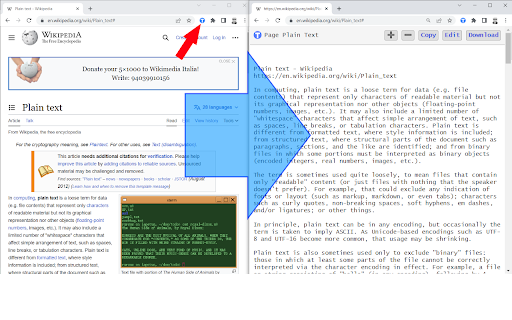
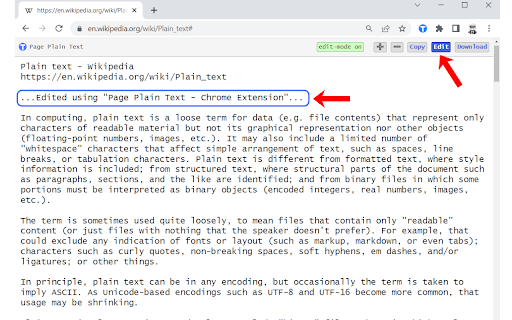
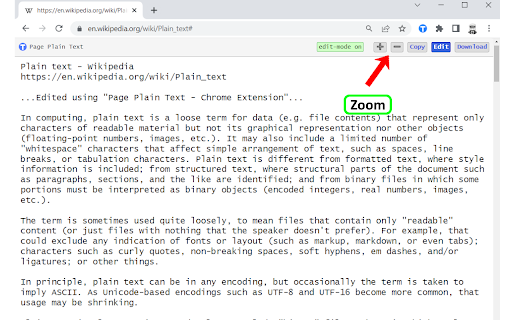
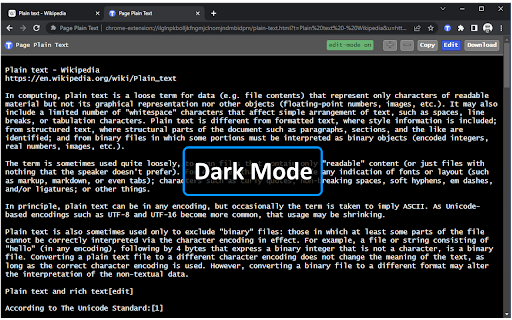
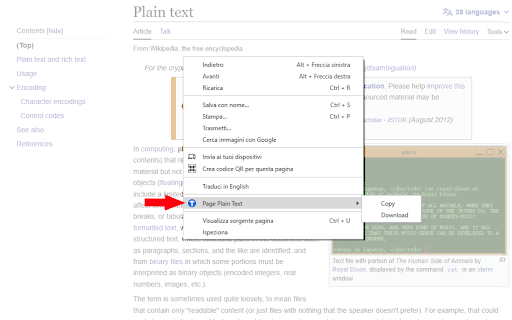
[Features] - Shows page plain text (keyboard shortcut: Ctrl + Shift + 1) - Extracts text from the selection on the page - Text editing - Download page plain text (keyboard shortcut: Ctrl + Shift + 2) - Removes all formatting from text - Removes all advertising to focus only on the content of the text - Copy text to use it in other documents (keyboard shortcut: Ctrl + Shift + 3) - Zoom In and Zoom Out text to improve legibility (keyboard shortcut: Ctrl + ➕ / Ctrl + ➖) - Contextual menu to quickly copy or download the plain text of the current page - Dark Mode color scheme [Keyboard Shortcuts] To change the keyboard shortcuts of the extensions you can go here: chrome://extensions/shortcuts [Links] - My Home page: https://www.vincenzodevivo.com/ - My GitHub: https://github.com/deltavi ☕BUY ME A COFFEE Want to buy me a coffee? By all means! Visit https://www.buymeacoffee.com/vincenzodevivo or https://www.paypal.com/paypalme/VincenzoDeVivoAutore ... or you can buy my books on Amazon 📚 www.amazon.it/Vincenzo-De-Vivo/e/B09MPTBBFY
Page Plain Text screenshot 1Page Plain Text screenshot 2Page Plain Text screenshot 3Page Plain Text screenshot 4Page Plain Text screenshot 5

Reviews (2 cached)

★☆☆☆☆2025-10-15
frank scap

Once activated, there is no clear one-click way to return to the original web page.

★☆☆☆☆2025-04-13
J. S. (darkocean)

BAD DO NOT INSTALL *FREEKS OUT!* The second time I used it, the browser and mouse developed awful lag, it manipulated the mouse menu so that it didn't work properly; would flash for a split second but not let me use any of the options on the menu, the same with the browsers menus! On the search engine page I was on the curser went super far to the right without stopping! I haven't experienced anything like that since the 90's . Might be malware of some sort or really buggy. Yikes! I did other things to regain control of the browser but will only answer those questions to an actual google support person. (For obvious reasons.) It's really sus. If it turns out to be a mistake then, apologies in advance. But I don't think that's the case.

Permissions (5)

Permissions

activeTab Can access the current tab when you click the extension clipboardWrite Can write to your clipboard contextMenus Can add items to the right-click menu downloads Can manage and monitor downloads scripting Can inject scripts into web pages

Details

Version 1.2
Updated Aug 19, 2023
Size 2.05MiB
First Seen Mar 29, 2026