
Description
The problem: Gmail URLs in your address bar point to conversations, not individual messages. They can change, break, or lead to the wrong email. If you save or
share a Gmail link, there's no guarantee it will still work later.
The solution: Mail message URL generates a permanent link to a specific email message based on its unique Message-ID. This link will always open that exact
message, no matter how your inbox changes.
Perfect for:
• Saving a reference to an important email in your notes, tasks, or documents
• Sharing a link to a specific message with colleagues who have access to it
• Bookmarking emails you need to revisit regularly
• Linking emails in project management tools, wikis, or CRMs
How to use:
1. Open any email in Gmail
2. Copy the message URL using one of three methods:
- The "Copy message URL" item in the message menu (⋮)
- Right-click → "Copy Gmail message URL"
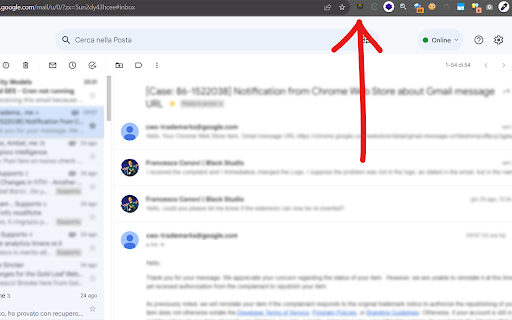
- Click the extension icon in the toolbar
3. A confirmation appears — the permanent URL is now in your clipboard
The generated URL uses Gmail's built-in search by RFC822 Message-ID, so it works reliably and doesn't depend on thread IDs or other temporary references.
Reviews
Loading reviews...
Permissions (2)
Permissions
activeTabℹ Can access the current tab when you click the extension contextMenusℹ Can add items to the right-click menu
Details
| Version | 1.4.0 |
| Updated | Feb 24, 2026 |
| Size | 41.27KiB |
| First Seen | Apr 1, 2026 |
Popular in workflow

Adobe Acrobat: PDF edit, convert, sign tools
by Adobe Inc.
331M
★ 4.40
workflow
331M
★ 4.40
workflow

AdBlock — block ads across the web
by AdBlock
62M
★ 4.48
workflow
62M
★ 4.48
workflow

迅雷下载支持
by Shenzhen Xunlei Network Technology Co., Ltd.
59M
★ 2.77
workflow
59M
★ 2.77
workflow

Adblock Plus - free ad blocker
by eyeo GmbH
41M
★ 4.39
workflow
41M
★ 4.39
workflow

Chrome Remote Desktop
by Chrome Remote Desktop Release Managers
38M
★ 3.14
workflow
38M
★ 3.14
workflow
Popular Extensions
Adobe Acrobat: PDF edit, convert, sign tools
by Adobe Inc.
331M
★ 4.40
workflow
331M
★ 4.40
workflow
AdBlock — block ads across the web
by AdBlock
62M
★ 4.48
workflow
62M
★ 4.48
workflow
迅雷下载支持
by Shenzhen Xunlei Network Technology Co., Ltd.
59M
★ 2.77
workflow
59M
★ 2.77
workflow

Grammarly: AI Writing Assistant and Grammar Checker App
by Grammarly
42M
★ 4.50
communication
42M
★ 4.50
communication
Adblock Plus - free ad blocker
by eyeo GmbH
41M
★ 4.39
workflow
41M
★ 4.39
workflow