
⚠️Not updated in over a year ⚠️Requests 1 sensitive permission
Description
RightAnswers X, the new dynamic way to access knowledge across the enterprise
RightAnswers X reimagines the concept of integrations and delivers knowledge to all parts of your organization in the most efficient way.
Simplified set up saves time and money.
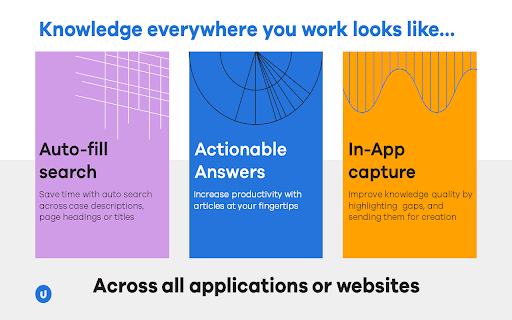
Knowledge sharing through a browser means set up is as simple as installing an extension, enabling the out-of-the-box configurations in the admin console to activate RightAnswers X to be available whenever the browser-based application or website is used. No more lengthy processes and intensive effort means you can scale up your knowledge management delivery in minutes and drastically reduce the cost of integrations.
Integrate with more applications across the enterprise.
RightAnswers has always been a leader in Connected Knowledge and now we can expand integration capabilities to pretty much any application that runs on a browser. Service desks can integrate knowledge into ITSM tools, customer service teams to CRMs, HR teams can access knowledge in resource management tools, the possibilities of getting the right answer to the right person at the right time are now endless.
Search all your content sources and return the results in a single view.
Use the power of RightAnswers best-in-breed AI enabled search to crawl all available repositories and give users access to relevant information quickly. Quite simply, RightAnswers X empowers you to find knowledge from anywhere and deliver it everywhere.
In-app knowledge capture is made easy.
When you find information that needs to be added to the knowledgebase, simply highlight the text and send it to Solution Manager to start creating an article in seconds.




Reviews
Loading reviews...
Permissions (7)
Permissions
activeTabℹ Can access the current tab when you click the extension contextMenusℹ Can add items to the right-click menu cookiesℹ Can read and modify browser cookies declarativeNetRequestℹ Can block or redirect network requests scriptingℹ Can inject scripts into web pages storageℹ Can store data locally in your browser tabsℹ Can see your open tabs and their URLs
Details
| Version | 2.2.1 |
| Updated | Feb 9, 2025 |
| Size | 64.72KiB |
| First Seen | Apr 1, 2026 |
More by Upland Software


Popular in workflow

Adobe Acrobat: PDF edit, convert, sign tools
by Adobe Inc.
331M
★ 4.40
workflow
331M
★ 4.40
workflow

AdBlock — block ads across the web
by AdBlock
62M
★ 4.48
workflow
62M
★ 4.48
workflow

迅雷下载支持
by Shenzhen Xunlei Network Technology Co., Ltd.
59M
★ 2.77
workflow
59M
★ 2.77
workflow

Adblock Plus - free ad blocker
by eyeo GmbH
41M
★ 4.39
workflow
41M
★ 4.39
workflow

Chrome Remote Desktop
by Chrome Remote Desktop Release Managers
38M
★ 3.14
workflow
38M
★ 3.14
workflow
Popular Extensions
Adobe Acrobat: PDF edit, convert, sign tools
by Adobe Inc.
331M
★ 4.40
workflow
331M
★ 4.40
workflow
AdBlock — block ads across the web
by AdBlock
62M
★ 4.48
workflow
62M
★ 4.48
workflow
迅雷下载支持
by Shenzhen Xunlei Network Technology Co., Ltd.
59M
★ 2.77
workflow
59M
★ 2.77
workflow

Grammarly: AI Writing Assistant and Grammar Checker App
by Grammarly
42M
★ 4.50
communication
42M
★ 4.50
communication
Adblock Plus - free ad blocker
by eyeo GmbH
41M
★ 4.39
workflow
41M
★ 4.39
workflow