
Spotify Friend Activity
v2.2.0 Updated May 30, 2025 93.36KiB
Description
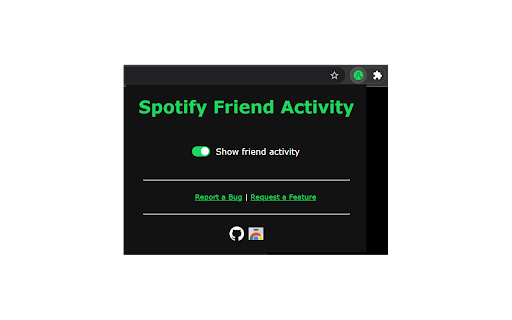
This extension adds a panel to Spotify's web player that displays your friends' listening activity.
Setup:
1. Add Spotify Friend Activity to your Chrome browser.
2. Open a new tab and navigate to https://open.spotify.com/
3. Login with your Spotify account.
4. Make sure:
- You are following the Spotify users that you want to see the activity of.
- Your friends have the "Share my listening activity on Spotify" setting enabled in the Spotify desktop app.
- Your friends have listened to music on the desktop app sometime in the last week.
5. If the issue persists, please report it here: https://bit.ly/sfa-report
Request new features for the extension here: https://bit.ly/sfa-feature

Reviews (3 cached)
★★☆☆☆2022-03-22
Sharanya
i cant see the friend activity its not working
★★★☆☆2025-02-05
Stop Footage
It doesn't seem to work anymore
★★★☆☆2024-10-23
Jelmaya Sari
still dont show up :(
Permissions (1)
Permissions
storageℹ Can store data locally in your browser
Details
| Version | 2.2.0 |
| Updated | May 30, 2025 |
| Size | 93.36KiB |
| First Seen | Mar 29, 2026 |
Popular in social

Cisco Webex Extension
by cisco.chromestore
23M
★ 2.34
social
23M
★ 2.34
social

LINE
by LY Corporation
4M
★ 3.51
social
4M
★ 3.51
social

vidIQ Vision for YouTube
by vidIQ
3M
★ 4.48
social
3M
★ 4.48
social

7TV
by 7TV
3M
★ 4.57
social
3M
★ 4.57
social

Google Mail Checker
by Chrome Developer Relations
2M
★ 4.12
social
2M
★ 4.12
social
Popular Extensions

Adobe Acrobat: PDF edit, convert, sign tools
by Adobe Inc.
331M
★ 4.40
workflow
331M
★ 4.40
workflow

AdBlock — block ads across the web
by AdBlock
63M
★ 4.48
workflow
63M
★ 4.48
workflow

迅雷下载支持
by Shenzhen Xunlei Network Technology Co., Ltd.
59M
★ 2.77
workflow
59M
★ 2.77
workflow

Grammarly: AI Writing Assistant and Grammar Checker App
by Grammarly
42M
★ 4.50
communication
42M
★ 4.50
communication

Adblock Plus - free ad blocker
by eyeo GmbH
41M
★ 4.39
workflow
41M
★ 4.39
workflow