
✅Recently updated
Description
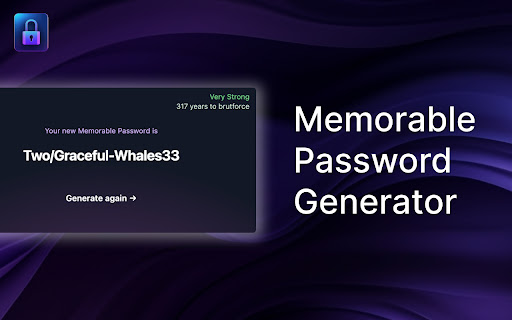
Memorable Password Generator is a free tool that allows you to create very strong passwords that are easy to remember in one click.
The best passwords are long, generated randomly and unique. Unfortunately, passwords that are long, random-looking and hard to guess are also difficult to remember. Memorable Password Generator helps you get the best of both, a strong password and an easier to remember one.
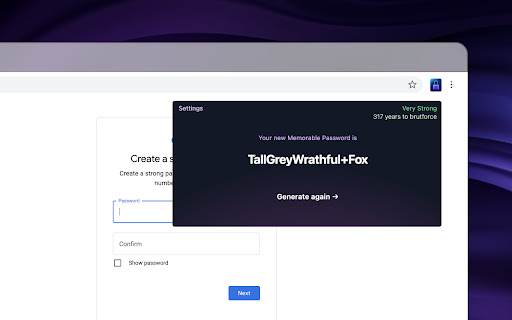
The way it works is simple, when you click the browser action button, the password is generated and you can copy it one one click. If the password does not look good, you can generate another one in one click.
What really makes Memorable Password Generator special is that, unlike most secure password generators, it doesn't output totally random and hard-to-remember passwords. Instead, the password is generated with recognizable words, but with random letters, capitals and random special characters included. It makes the password harder to guess, but at the same time, easier to remember as it is composed of real words.
Memorable Password Generator is fully secure and no password is stored. Passwords are only shown to you when generated and disappear when you close the extension popup.
You can also completely customize the patterns for your generated passwords.
For example setup a password pattern such as {0-9}{0-9}{0-9}_{word}{WORD}{symbol} or {word?}{symbol}{Word}66
Here's a list of items you can use for your custom password pattern :
{WORD} : random uppercase word
{word} : random lowercase word
{Word} : random capitalized word
{word?} : random word with random case (lowercase, uppercase or capitalized)
{symbol} : random symbol
{a-z} : random lowercase letter
{A-Z} : random uppercase letter
{a-zA-Z} : random letter with random case (lowercase or uppercase)
{0-9} : random number.
Any other characters added without brackets { } will be included literally (fixed) in the password.

Reviews
Loading reviews...
Permissions (1)
Permissions
storageℹ Can store data locally in your browser
Details
| Version | 1.1.2 |
| Updated | Mar 28, 2026 |
| Size | 186KiB |
| First Seen | Mar 29, 2026 |
More by Yuki


Popular in workflow

Adobe Acrobat: PDF edit, convert, sign tools
by Adobe Inc.
331M
★ 4.40
workflow
331M
★ 4.40
workflow

AdBlock — block ads across the web
by AdBlock
63M
★ 4.48
workflow
63M
★ 4.48
workflow

迅雷下载支持
by Shenzhen Xunlei Network Technology Co., Ltd.
59M
★ 2.77
workflow
59M
★ 2.77
workflow

Adblock Plus - free ad blocker
by eyeo GmbH
41M
★ 4.39
workflow
41M
★ 4.39
workflow

Chrome Remote Desktop
by Chrome Remote Desktop Release Managers
38M
★ 3.14
workflow
38M
★ 3.14
workflow
Popular Extensions
Adobe Acrobat: PDF edit, convert, sign tools
by Adobe Inc.
331M
★ 4.40
workflow
331M
★ 4.40
workflow
AdBlock — block ads across the web
by AdBlock
63M
★ 4.48
workflow
63M
★ 4.48
workflow
迅雷下载支持
by Shenzhen Xunlei Network Technology Co., Ltd.
59M
★ 2.77
workflow
59M
★ 2.77
workflow

Grammarly: AI Writing Assistant and Grammar Checker App
by Grammarly
42M
★ 4.50
communication
42M
★ 4.50
communication
Adblock Plus - free ad blocker
by eyeo GmbH
41M
★ 4.39
workflow
41M
★ 4.39
workflow