
⚠️Very few reviews for its user base
Description
Image Vectorizer is a browser extension that helps you vectorize any image.
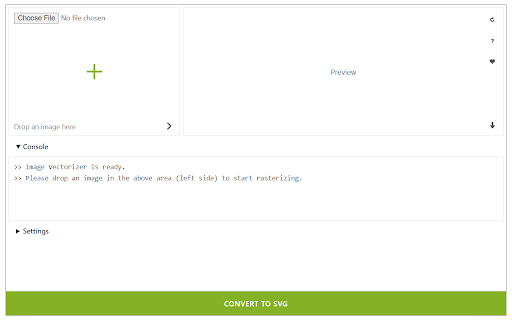
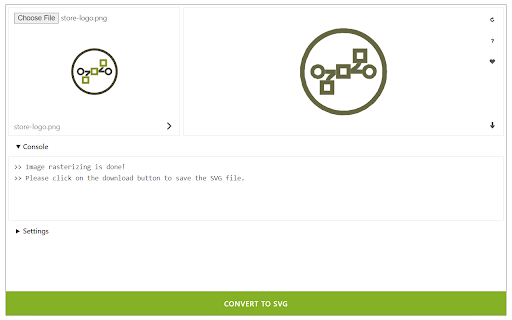
It accepts a wide variety of input images including ".png", ".jpg", ".bmp", and many more. Simply drag & drop an image in the addon (top-left corner of the interface) and then click on the - Convert to SVG - button at the bottom. The vectorized image will be rendered at the result box (top-right corner). You can also choose your desired serializing method from the drop-down list within the UI. The pre-set method is the - default - method. There are 15 other methods to choose from the list. There is also a - live preview - checkbox to make the vectorizing process on the fly. As you change any method, the result will be rendered in the top right section without pressing the convert button. Once a rasterizing process is done, the vectorized image will be displayed in the top-right corner with a download button attached to it. Click on this button to download the image to your machine. Please note that the download location is the default download folder in your browser.
Note: Dark mode functionality is added in version 0.1.4. Please press the moon icon on the top-right toolbar to switch the theme (Dark | Light).
If you have a feature request or found a bug to report, please fill out the bug report form on the addon's homepage (https://mybrowseraddon.com/image-vectorizer.html).

Reviews
Loading reviews...
Permissions (1)
Permissions
storageℹ Can store data locally in your browser
Details
| Version | 0.1.5 |
| Updated | Jan 28, 2026 |
| Size | 54.95KiB |
| First Seen | Mar 30, 2026 |
More by Keller

Speech to Text (Voice Recognition)
by Keller
300K
★ 3.38
tools
300K
★ 3.38
tools

Page Edit
by Keller
30K
★ 4.58
developer
30K
★ 4.58
developer

Dark New Tab
by Keller
30K
★ 4.21
tools
30K
★ 4.21
tools

WebGL Fingerprint Defender
by Keller
20K
★ 3.42
privacy
20K
★ 3.42
privacy

Font Fingerprint Defender
by Keller
20K
★ 3.54
privacy
20K
★ 3.54
privacy
Popular in tools

Zotero Connector
by Zotero
8M
★ 3.96
tools
8M
★ 3.96
tools

Browsec VPN - Free VPN for Chrome
by Browsec
7M
★ 4.44
tools
7M
★ 4.44
tools

AnyDoc Translator - Translate Web and PDF
by www.wps.com
7M
★ 4.58
tools
7M
★ 4.58
tools

WPS PDF - Read, Edit, Fill, Convert, and AI Chat PDF with Ease
by www.wps.com
7M
★ 4.45
tools
7M
★ 4.45
tools

Video DownloadHelper
by Aclap
5M
★ 4.43
tools
5M
★ 4.43
tools
Popular Extensions

Adobe Acrobat: PDF edit, convert, sign tools
by Adobe Inc.
331M
★ 4.40
workflow
331M
★ 4.40
workflow

AdBlock — block ads across the web
by AdBlock
62M
★ 4.48
workflow
62M
★ 4.48
workflow

迅雷下载支持
by Shenzhen Xunlei Network Technology Co., Ltd.
59M
★ 2.77
workflow
59M
★ 2.77
workflow

Grammarly: AI Writing Assistant and Grammar Checker App
by Grammarly
42M
★ 4.50
communication
42M
★ 4.50
communication

Adblock Plus - free ad blocker
by eyeo GmbH
41M
★ 4.39
workflow
41M
★ 4.39
workflow