
Description
Reviews (114 cached)
Useless. Yet another app that promises that a USB scanner will work on a Chromebook, and like the others, it never delivers.
Did absolutely nothing. When I pinned the icon and pressed on it, it didn't do anything. It sucks, I was really looking forward to using it.
I downloaded the app and as I later read it is only for SANE printers. I often get the Brother All-in-One fax and scanners but this app did not work with the machine (DCP-L2550DW). They did not lie but if you do not read all before you download you will have a useless app.
Terrible, can't even scan a document. Says no scanner.
wrong
I installed this on my Lenovo Chromebook and the app doesn't even open.
Doesn't work with Epson SX235W
App won't launch.
Doesn't even open, dissapointing really.
I do not really know how to use it. I have connected to my HP scanner but it is not scanning
Doesn't work
doesn work
Thanks for making a not working app.
Not compatible with my SANE-capable scanner (works fine with SANE under Ubuntu). Description should be updated to reflect compatibility with only some SANE-safe devices.
Simply does not work at all, at least with my HP C4280 all-in-one printer & scanner. This needs improvements.
Lot of problems. Scanner not avaliable all the time.
DIdn't work. That's all.
Canonscan LIDE 200 ON Acer Notebook not working. No power to scanner.
not working on Asus C302...
doesn't even open.
Doesn't work with the 1x500
Doesnt support any other printer or scanner not from google cloud.
No way to find or select a printer/scanner to use. UI is trash.
Does not recognize printer/scanner. Needs work.Using chromebook w/USB to Printer/scanner
App doesn't start for me.
does not work ano 2017!! Scanning is important at the office
Doesn't do anything but scan searched document.
Does not access my printer (Canon Pixma MG 3520) nor actually scan anything. I even checked the SANE list as suggested and this is supposed to be a supported printer. It does show in my Drive but the file is always empty.
Pants.....
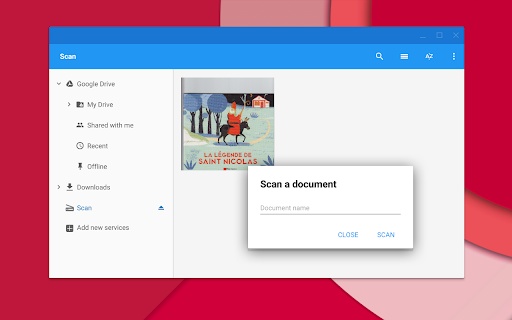
This is too bad. The developer should definitely add more features. Whereas my printing app - HP print for Chrome - connects - wireless!! - perfectly well to my Chromebook (HP 14q), this app only asks for a document name, than appears to do something but subsequently is not capable to find my device, no matter if it is connected to usb or wireless. Work to do for the developers!
Doesn't work with the Chromebook and Canon Pixma MX535. Google Chrome is far more trouble than it is worth. Wish I had stuck with Microsoft.
have not been able to use it on my toshiba chromebook to scan from hp scanner
Doesn't work with my Asus!!!!
This caused my surface 3 to lock up and I had to hard restart. The app refused to launch several times first.
no options, and my scanner is not recognized by this app.
Does not work with Canon PIXMA MX490
not working
Does not work. (doesn't even start)
Didn't Open!
Not launch
Downloaded app - tried to launch it - and the Rate Me pops up before I even get to try it - and the app wont start without rating it - so 1 star because how can you rate something if you havent tried it yet. Uninstalled without using it.
I tried this useless app.so that I could scan papers in to my H.P.Cromebook via my H.P. 2512 Series Deskjet.Does not work at all.Just get a message saying that scanner is not available.If I'd known I wouldn't be able to scan,I would not have bought this computer!!!
Would not work with my HP DeskJet 2549
When I scan I keep getting an empty display
useless, no instructions and no configuring to find scanner
Doesn't work. Says it scans, scanner doesn't do anything, app produces a blank file.
it won't even open.
Never has functioned..with too much time wasted..
Does not work with chromebooks
does not work
Permissions (4)
Permissions
Details
| Version | 0.5 |
| Updated | Apr 14, 2020 |
| Size | 624KiB |
| First Seen | Apr 1, 2026 |
More by François Beaufort





Popular Extensions




