
Description


Reviews (6 cached)
Doesn't work. You click DM Screen on the campaign street and it takes you to DND Beyond home page. Will give it a few days to update, otherwise it will stay at 1 star.
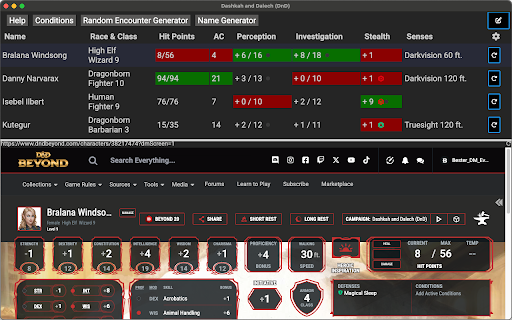
I don't see the value in this. When I am on a character sheet, I click it and it drops down a bunch of selectable boxes with info from the sheet....but this information is already easy to get to and it doesn't really speed up my access to that information. It's all right there on the character sheet. Kinda pointless from my perspective. But hey.
Doesn't work. I've added and re-added and it just doesn't do anything. Not sure what the issue is, but not finding any documentation to help.
Non-functional as of right now. Clicking the DM screen button shows an emptywhite screen with the table in which the names of the player characters are supposed to appear, but it stays fully white. Nothing is clickable. The "Race & Class" part of the table is also called "Rasse & Klasse", which I'm sure is just a small mistake, but I did want to point out.
Use to work great I've used it for over 10 sessions now with no problems. Now it doesn't even pull anything up it just takes you to D&D Beyond home screen and sits there
I have no issues with the DM Screen popping up when i click the button in D&D Beyond but the problem i am having is customizing it. I have tried messing around with it for a few hours, looking up tutorials on youtube and even searching reddit but cant seem to find any information about it. I love the idea and it seems like it could be a very useful tool, as I currently have to run my games online, but just cant seem to figure out how to get the most use out of this online tool.
Permissions (1)
Permissions
Details
| Version | 2.0.4 |
| Updated | Dec 15, 2025 |
| Size | 4.2MiB |
| First Seen | Apr 1, 2026 |
More by silas


Popular in fun





Popular Extensions




