
Description
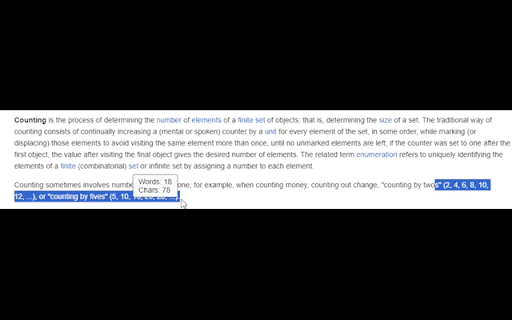
Reviews (7 cached)
Just like the last such plugin I tried, this counts em-dashes as word-connectors. This is not how the em-dash works. A hyphen connects words: jack-in-the-box counts as a single word. An em-dash *separates* phrases. It's a way of stopping one thought to bring in another one, kinda like parentheses, or for conveying a kind of frantic, jumbled sequence of events. The following would be twelve words each: He wanted to see her again—if only for one bitter moment. For her sake—though it pained him greatly—he would do it. Panting, he turned—glanced around frantically—spotted her—rushed to her side. Your program would count these as 11, 10, and 9, respectively. Individually, that's not a huge amount, but when you start dealing with longer content, it adds up to a lot. I checked with a piece with a known count of 21,586; this plugin claimed 21,356, a discrepancy of 230, probably close to the number of em-dashes in the tale. Please fix this. I would like to be notified if you do. P.S. You might also look into the en-dash and determine its function; it doesn't work like a hyphen, but is a little more complicated. The em-dash *never* connects words, but the en-dash might (though it's also much rarer). Also, there's a video by languagejones that explains why it's actually kinda hard to define a word, discussing the whole hyphens thing, so you might give that a look.
I used this to check word counts for students, but it does not work with Canvas using Google.
Doesn't seem to be working for me for whatever reason. Nothing happens when I highlight text in regular and incognito.
doesnt work
Sometimes it thinks I have selected text when in reality I just clicked a menu to navigate. For example in reddit when clicked to view from Hot to New, and it makes the popup menu to close so it can show the word count popup.
does what it does excellently, a little too excellently. It keeps doing that and stealing the cursor when you are trying to select and edit something. most often keystrokes wont register, making it very annoying when you are working on say email or some document.
doesn't work on gdocs
Permissions (1)
Permissions
Details
| Version | 12.7 |
| Updated | Mar 27, 2026 |
| Size | 184KiB |
| First Seen | Mar 24, 2026 |
More by tb

Popular in tools



Popular Extensions




