
Description


Reviews (3 cached)
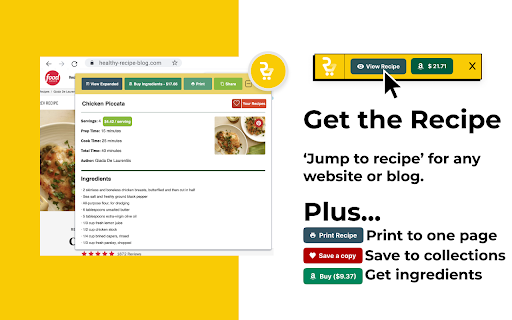
Unfortunately it doesn't seem to work for me. I downloaded the chrome extension and created an account. When I'm on a recipe page, I open the extension, click the "Show Recipe" or "Import Recipe Link" buttons, and...nothing happens. I've tried on these sites: https://lifehacker.com/make-yourself-a-stroopwafel-choco-taco-1849342317 https://tastesbetterfromscratch.com/homemade-eggnog/ https://www.thekitchn.com/holiday-magic-bars-recipe-23456378
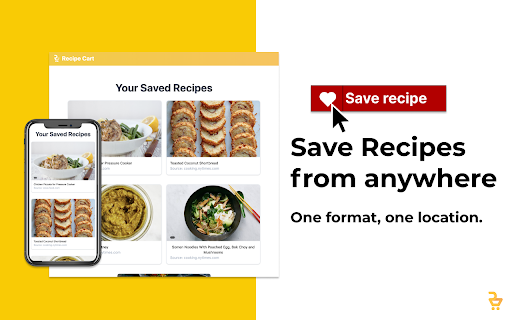
Wow. So you illegally scrape content from recipe websites, use their copyright-protected images without permission, allow people to save this illegally obtained information to the website - including the instructions where expression is also protected. You then lie and say that visitors will have to click to the website to get the instructions (untrue if they're not logged in). To top it all off, after removing anyway for recipe bloggers - who are mostly women looking to bring in extra income for their families - to possibly make a dime from all their hard effort, you then go and monetizeit yourself through Instacart/Amazon fresh buttons??? Amazing. Can't wait to see how many court cases you end up in. Oh and everyone else, get a clue and use the jump to recipe button. Same result but you won't be financing the illegal actions of a guy stealing from women's content.
This extension steals the work of recipe creators. It steals a recipe photo and the recipe instructions, both which hold copyright, and posts them on their own website for their own gain. On their website they even say they steal a photo without permission and claim to only list the ingredients and a link back to the original recipe for directions but this clearly isn't true. Go to the actual website and support the original creators instead of companies trying to profit off of other's work.
Permissions (2)
Permissions
Details
| Version | 3.6.1 |
| Updated | Aug 18, 2025 |
| Size | 2.12MiB |
| First Seen | Mar 26, 2026 |
Popular in household




Popular Extensions




