
Description
Reviews (18 cached)
You have to sign in every time you open the program, which with two step authentication is quite painful.
it makes you sign in every time you open it
Doesn't stay signed in even if you check the box. That makes it too hard to use.
piece of crap. Look elsewhere
Doesn't stay logged in.
Problems adding new task lists.
This app always defaults to a list I do not use often, so I have to manually tool down to find the list I want to display. It should either show the list you last used by default. OR have options to say which list is the default.
Too basic. Should be automatic log in, can't assign to others or share. Not really an application.
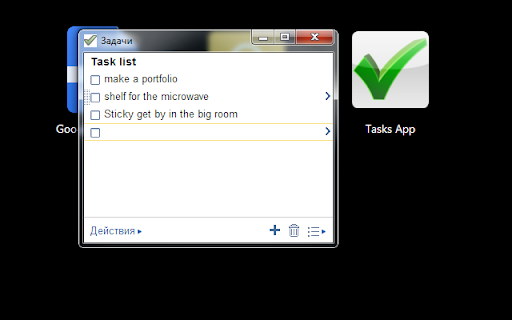
Window is broken somehow, only the first four tasks are visible at once. The similar "Google Tasks Panel" displays properly.
Cannot change account ?
Great Desktop app, but I always have to sign in if not using Chrome. There's another app that's similar but this one has a better interface. Fix the sign-in issue I'll change my rating. FYI I don't have to sign in for my Sunrise app.
Forces you to sign in every time. Even if I'm already signed in to google in the browser. That sucks. However, it does what it's supposed to do. It lets you open tasks without having to open a browser window.
This is exactly what I wanted. The only down sides are that it fails to stay signed in when I select the stay signed in checkbox, and it still asks for a phone verification code when I check the don't ask for verification on this computer checkbox.
Does what it is meant to do BUT everytime I open it up I have to log in, which is really annoying. It would be more helpful if it remembered my log in info and signed me in automatically
Used to be great, but now cannot remember login, nor does it remember it's size and place on the screen.
I've used this app for a long time, but now it only displays thye top 4 tasks no matter how big I make the pop up window. Please fix! I loved this app. Simple, clean, and worked like a charm.
It's nice that is really looks as Google Tasks does, so it's easy to use. Bug: We I resize the window, the menu bar at the footer scrools out of reach. And I prefer a Google Tasks App that can also cache tasks for offline use and sync later on (I just also tried "Google Tasks Offline")
Can not set notifications and the time of the notification from this app. Expected it to work Like GTasks on Mobile Android. Syncs well with mobile GTasks
Permissions (1)
Permissions
Details
| Version | 1.1.7 |
| Updated | Nov 29, 2014 |
| Size | 12.02KiB |
| First Seen | Mar 31, 2026 |
Popular Extensions




