
⚠️Not updated in over a year
Description
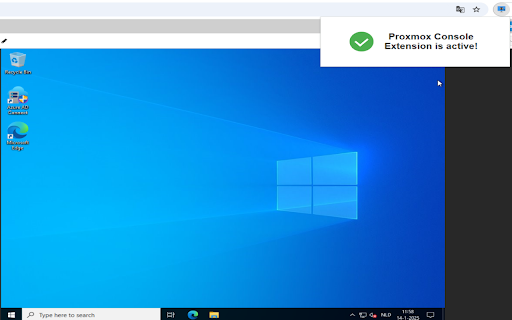
🚀 Easily Paste into Your Proxmox Console Sessions! 🚀
The VM Console Extension is here to solve a frustrating limitation—no more manual typing or restricted copy-paste functionality! With this extension, you can directly paste text, commands, or configurations into your Proxmox web console sessions with ease. 🎉
✨ Key Features:
Clipboard to Console Magic: Paste text directly into your Proxmox console sessions, even in environments where this isn't normally possible. ✏️
Simplify Your Workflow: No more switching back and forth between tools—just copy and paste! 🔄
Quick & Easy to Use: Activate the extension from the toolbar and paste in seconds. ⏱️
Save Time, Reduce Errors: Focus on what matters and skip the repetitive typing. ⌨️
This extension is a must-have for anyone managing Proxmox Virtual Environments! Whether you're an IT admin, a developer, or just looking to streamline your workflow, this tool has got you covered. 😎
Install now and make your Proxmox console sessions a breeze! 🚀
Let me know if you'd like to tweak it further! 😊

Reviews (4 cached)
★☆☆☆☆2025-08-02
Straww Mann
Great idea, but unfortunately doesn't seem to be supported anymore. Paste commands in VM Console are ignored as usual when this extension is active.
★☆☆☆☆2025-01-20
Marph
it doesn't work
★★☆☆☆2025-12-07
Dylan Hyslop
It does not past new lines, so if you trying to copy a docker file it just puts evrything on one line,
★★★☆☆2025-01-31
Alan Peery
Very nice idea but: 1) Why does it need to *read* all web pages when it's doing *input*? 2) Why does it default to reading the contents of all websites? If it has to read the web page, I only want it to read my Proxmox website. 3) When I was pasting in multiple line texts (into vim), the carriage returns weren't being sent. This was true copies out of both Word and Notepad. 4) Types rather more slowly than is required. :-D
Permissions (5)
Permissions
activeTabℹ Can access the current tab when you click the extension clipboardReadℹ Can read from your clipboard clipboardWriteℹ Can write to your clipboard scriptingℹ Can inject scripts into web pages storageℹ Can store data locally in your browser
Details
| Version | 1.1 |
| Updated | Mar 10, 2025 |
| Size | 290KiB |
| First Seen | Mar 26, 2026 |
Popular in tools

Zotero Connector
by Zotero
8M
★ 3.96
tools
8M
★ 3.96
tools

Browsec VPN - Free VPN for Chrome
by Browsec
7M
★ 4.44
tools
7M
★ 4.44
tools

AnyDoc Translator - Translate Web and PDF
by www.wps.com
7M
★ 4.58
tools
7M
★ 4.58
tools

WPS PDF - Read, Edit, Fill, Convert, and AI Chat PDF with Ease
by www.wps.com
7M
★ 4.45
tools
7M
★ 4.45
tools

Video DownloadHelper
by Aclap
5M
★ 4.43
tools
5M
★ 4.43
tools
Popular Extensions

Adobe Acrobat: PDF edit, convert, sign tools
by Adobe Inc.
331M
★ 4.40
workflow
331M
★ 4.40
workflow

AdBlock — block ads across the web
by AdBlock
63M
★ 4.48
workflow
63M
★ 4.48
workflow

迅雷下载支持
by Shenzhen Xunlei Network Technology Co., Ltd.
59M
★ 2.77
workflow
59M
★ 2.77
workflow

Grammarly: AI Writing Assistant and Grammar Checker App
by Grammarly
42M
★ 4.50
communication
42M
★ 4.50
communication

Adblock Plus - free ad blocker
by eyeo GmbH
41M
★ 4.39
workflow
41M
★ 4.39
workflow