
⚠️Not updated in over a year
Description
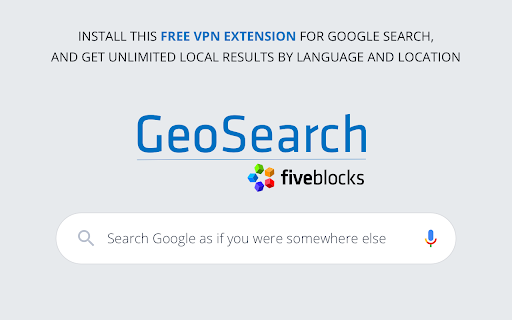
The local search plugin enables users to search for a term in any location, in any language, much like a VPN.
Google search results will often vary depending on where the searcher is located. For businesses and brands with stakeholders in many different locations, as well as for individuals, being able to see “how you look” on the search page in multiple places at once is crucial.
What do searchers in London see when they search your company? How does this compare to what that same search looks like in New York? What about searches in another language?
Welcome to GeoSearch by Five Blocks.
Some background:
Google and other search engines are designed to provide the most relevant information possible to searchers. In many cases relevance is dependent on where the searcher is located and in what language they are searching.
For example, if you are in Philadelphia and you search for “science museum”, Google knows that you may well be looking to visit the Franklin Institute, the local science museum. That same search done in Los Angeles will yield search results where the California Science Center is most prominent.
The same is true for brands and individuals. Google will often provide searchers with locally relevant results – job openings or office branches in a specific location, content in a local language – all dependent on where the searcher is located. (Google uses your IP address or sometimes your device’s GPS to record your most probable location.)
This means that if you have a reputation challenge in a specific location, you may not be aware of it from searching Google in your current location. (A restaurant chain which had a food recall in one city may have their results affected there -- without headquarters being aware of the negative change.)
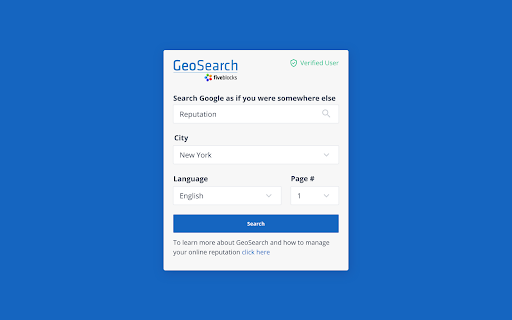
GeoSearch solves that problem by showing you the Google search results page as it appears in locations of your choice. You do not need a VPN, proxy server, or IP switcher to see Google search results from any location worldwide. All you do is enter into the extension the keyword you want to search, the city, and the language, and GeoSearch does the rest.
Sure saves travel time.
PRIVACY NOTICE:
GeoSearch does not transmit any of your data off your own computer. We do ask for your email to enable advanced functionality of the extension, so that we can send you essential updates. That information is stored securely and never shared.
Reviews
Loading reviews...
Permissions (1)
Permissions
storageℹ Can store data locally in your browser
Details
| Version | 2025.3.20 |
| Updated | Mar 21, 2025 |
| Size | 183KiB |
| First Seen | Mar 26, 2026 |
Popular in tools

Zotero Connector
by Zotero
8M
★ 3.96
tools
8M
★ 3.96
tools

Browsec VPN - Free VPN for Chrome
by Browsec
7M
★ 4.44
tools
7M
★ 4.44
tools

AnyDoc Translator - Translate Web and PDF
by www.wps.com
7M
★ 4.59
tools
7M
★ 4.59
tools

WPS PDF - Read, Edit, Fill, Convert, and AI Chat PDF with Ease
by www.wps.com
7M
★ 4.45
tools
7M
★ 4.45
tools

Video DownloadHelper
by Aclap
5M
★ 4.43
tools
5M
★ 4.43
tools
Popular Extensions

Adobe Acrobat: PDF edit, convert, sign tools
by Adobe Inc.
331M
★ 4.40
workflow
331M
★ 4.40
workflow

AdBlock — block ads across the web
by AdBlock
62M
★ 4.48
workflow
62M
★ 4.48
workflow

迅雷下载支持
by Shenzhen Xunlei Network Technology Co., Ltd.
59M
★ 2.77
workflow
59M
★ 2.77
workflow

Grammarly: AI Writing Assistant and Grammar Checker App
by Grammarly
42M
★ 4.50
communication
42M
★ 4.50
communication

Adblock Plus - free ad blocker
by eyeo GmbH
41M
★ 4.39
workflow
41M
★ 4.39
workflow