
⚠️Not updated in over 2 years
Description
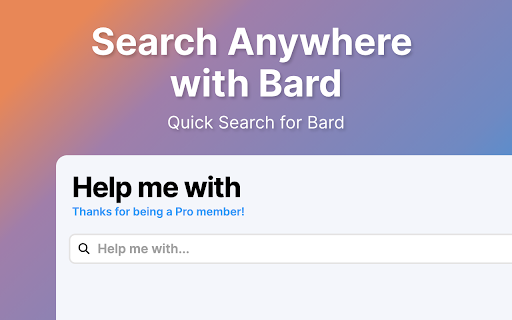
Introducing Help me with, the chrome extension that brings the power of Google's new ChatBot LLM to your fingertips. With just one click, you can access the most advanced AI-powered search language models available today, without leaving the page you're on.
Help me with is designed to be simple and straightforward. The extension opens up a search box on any page, allowing you to submit your queries to Bard and get the most accurate and relevant results for your search. With zero complicated settings configure, Help me with is easy to use and incredibly intuitive.
Thanks to its seamless integration with the Google's Bard, Help me with delivers the most accurate and relevant results for your search queries. Whether you're looking for news, articles, products, or services, Help me with makes it easy to find what you need, fast.
In summary, Help me with is the ultimate productivity tool for anyone who wants to search smarter, not harder. Install Help me with today and experience the power of AI and Language models at your fingertips.
Features:
- Search Bard Anywhere with Alt+H
- Customize the Keyboard Shortcut
- Display Results from inside the UI
- Click on the Browser Icon to Search
- Right Click to Search
- Type 'Help' in your URL bar and hit tab to Search!
Disclaimer: Bard is trademark of Google, LLC. The browser extension Help me with, is in no way shape or form related to Bard or Google, LLC. It is an unofficial Extension which is developed and maintained independently by its author.


Reviews (6 cached)
★☆☆☆☆2024-01-24
kuanJen Chen
Except for English, it shows 'Failed to access Bard...' when I input a question in another language.
★☆☆☆☆2023-10-10
Andrew
First it was a helpful tool to quickly launch Bard. Then it stopped working. Then it became a money grab. Uninstalled.
★☆☆☆☆2023-09-20
Eric Ketzer
well, it is worthless. when you highlight a word or put a word in the widget it just opens the bard website when you click enter (the bard doesn't even have the question when the website opens...)
★☆☆☆☆2023-06-06
Sandy Tan
It's hard to use, hard to understand how to use it immediately
★☆☆☆☆2023-05-29
V
The activation process is a garbage process to begin with.
★★☆☆☆2024-01-14
Kiran Vaněk
why does the extension open in a new tab but opens in the same tab when on your manual.dev page?
Permissions (2)
Permissions
contextMenusℹ Can add items to the right-click menu storageℹ Can store data locally in your browser
Details
| Version | 1.3.8 |
| Updated | Feb 10, 2024 |
| Size | 912KiB |
| First Seen | Mar 28, 2026 |
More by champagne

Enhance Gemini
by champagne
9K
★ 4.08
workflow
9K
★ 4.08
workflow

Search with DuckDuckGo
by champagne
4K
★ 2.60
tools
4K
★ 2.60
tools

Brave Search
by champagne
3K
★ 4.00
tools
3K
★ 4.00
tools

AwayTab - Travel Backgrounds
by champagne
599
★ 3.91
art
599
★ 3.91
art

No AI Google Search
by champagne
545
★ 2.55
tools
545
★ 2.55
tools
Popular in tools

Zotero Connector
by Zotero
8M
★ 3.96
tools
8M
★ 3.96
tools

Browsec VPN - Free VPN for Chrome
by Browsec
7M
★ 4.44
tools
7M
★ 4.44
tools

AnyDoc Translator - Translate Web and PDF
by www.wps.com
7M
★ 4.58
tools
7M
★ 4.58
tools

WPS PDF - Read, Edit, Fill, Convert, and AI Chat PDF with Ease
by www.wps.com
7M
★ 4.45
tools
7M
★ 4.45
tools

Video DownloadHelper
by Aclap
5M
★ 4.43
tools
5M
★ 4.43
tools
Popular Extensions

Adobe Acrobat: PDF edit, convert, sign tools
by Adobe Inc.
331M
★ 4.40
workflow
331M
★ 4.40
workflow

AdBlock — block ads across the web
by AdBlock
63M
★ 4.48
workflow
63M
★ 4.48
workflow

迅雷下载支持
by Shenzhen Xunlei Network Technology Co., Ltd.
59M
★ 2.77
workflow
59M
★ 2.77
workflow

Grammarly: AI Writing Assistant and Grammar Checker App
by Grammarly
42M
★ 4.50
communication
42M
★ 4.50
communication

Adblock Plus - free ad blocker
by eyeo GmbH
41M
★ 4.39
workflow
41M
★ 4.39
workflow