
⚠️Not updated in over a year
Description
Leo Page Assistant: Your Privacy-Safe AI-Powered Web Companion
Transform your browsing with Leo Page Assistant, the intelligent Chrome extension that provides instant, contextual answers and insights about any webpage you’re on. Leo turns your web pages into an interactive experience, helping you learn, research, and gather information—all in natural language.
Key Features:
- Instant Answers: Simply ask Leo about the page you’re viewing, and get accurate, relevant responses in seconds.
- Context-Aware Responses: Leo understands the content you're browsing and tailors answers to fit the context, making information more precise and helpful.
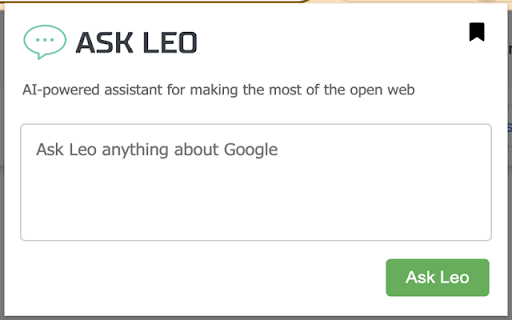
- Effortless Interface: A clean, user-friendly popup lets you interact with Leo smoothly, without disrupting your browsing flow.
- Privacy-First Design: Leo is secure and privacy-conscious, keeping your browsing data private and local.
- Broad Compatibility: Works across virtually any webpage, making it a versatile tool for any online task.
How Leo Helps You:
> Quick Research: Leo answers questions directly from the page content, helping students and researchers get summaries, explanations, or deeper insights fast.
> Productivity Booster: Professionals can quickly digest complex articles, analyze reports, or extract key points without switching between tabs.
> Enhanced Curiosity: For the curious, Leo is a knowledgeable assistant, always ready to dive deeper into topics you encounter online.
How It Works:
Go to any webpage you’re interested in.
1. Click the Leo Page Assistant icon in your Chrome toolbar.
2. Type your question in the popup.
3. Click “Ask Leo” and get instant answers—just like chatting with a knowledgeable friend.
Why Leo?
Leo leverages cutting-edge AI to understand the context of each webpage, interpret your questions, and deliver insightful answers. From pulling key insights to suggesting data points, Leo makes navigating the web smarter and more enjoyable.
Boost your web experience with Leo Page Assistant. Download today and explore the web in a whole new way!
Reviews
Loading reviews...
Permissions (3)
Permissions
activeTabℹ Can access the current tab when you click the extension scriptingℹ Can inject scripts into web pages storageℹ Can store data locally in your browser
Details
| Version | 7.2 |
| Updated | Dec 4, 2024 |
| Size | 72.16MiB |
| First Seen | Mar 21, 2026 |
Popular in tools

Zotero Connector
by Zotero
8M
★ 3.96
tools
8M
★ 3.96
tools

Browsec VPN - Free VPN for Chrome
by Browsec
7M
★ 4.44
tools
7M
★ 4.44
tools

AnyDoc Translator - Translate Web and PDF
by www.wps.com
7M
★ 4.58
tools
7M
★ 4.58
tools

WPS PDF - Read, Edit, Fill, Convert, and AI Chat PDF with Ease
by www.wps.com
7M
★ 4.45
tools
7M
★ 4.45
tools

Video DownloadHelper
by Aclap
5M
★ 4.43
tools
5M
★ 4.43
tools
Popular Extensions

Adobe Acrobat: PDF edit, convert, sign tools
by Adobe Inc.
331M
★ 4.40
workflow
331M
★ 4.40
workflow

AdBlock — block ads across the web
by AdBlock
62M
★ 4.48
workflow
62M
★ 4.48
workflow

迅雷下载支持
by Shenzhen Xunlei Network Technology Co., Ltd.
59M
★ 2.77
workflow
59M
★ 2.77
workflow

Grammarly: AI Writing Assistant and Grammar Checker App
by Grammarly
42M
★ 4.50
communication
42M
★ 4.50
communication

Adblock Plus - free ad blocker
by eyeo GmbH
40M
★ 4.39
workflow
40M
★ 4.39
workflow