New Updates:
1. Shortcuts!
Keyboard shortcuts for canned responses in Klutch provide a lightning-fast way to access and insert pre-defined text snippets into your messages or documents. By assigning personalized shortcuts to each canned response, you can avoid the time-consuming task of typing repetitive messages manually. Just type the shortcut in any document or input field, and see the magic :)
2. AI email reply generator & Compose a brand new email using AI.
With Klutch's new AI feature, you can reply fast to emails, with grammatically correct English, generated personalized AI email responses and write a whole new email from scratch.
* Limited to 10 emails per month on the free plan, and unlimited on the paid plan.
_____________________________
It’s time to bid farewell to cluttered cloud drives and duplicated documents across accounts and teams and say hello to a single place where you can store organizational knowledge!
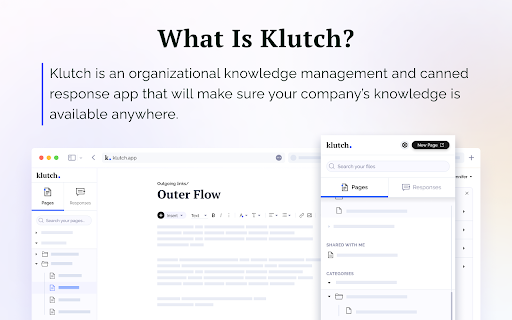
Klutch is every company’s best friend -- an easy-to-access knowledge management app and company wiki that helps teams collaborate better and faster. We have two kinds of information that you can add onto your knowledge base -- Pages and Responses.
Pages are the backbone of every company's knowledge repository. Pages are where you put important company information that you can easily share with other colleagues. Pages contain “what’s to know” about your company and its processes like sales playbooks or internal customer support guides.
Aside from being a source of company knowledge, you can also use Pages as your very own personal drive for company-related information and output. That way, you can keep things private until you’re ready to share them with others.
On the other hand, we took Responses from our old product Tray Canned Responses and gave it a completely new look. It’s the part of Klutch that lets you create and share canned replies with colleagues and teams. Instead of different members of your team using different responses in customer communication, now they will all have access to the same ones. The ability to quickly copy responses will definitely save you and your team hours and hours of manual email writing and typing work, especially for sales and customer support teams that tend to send out several emails of the same kind during the day.
We made Klutch with the desire to help teams (both remote and non-remote) retain company knowledge and use it in customer communication. We know how difficult it is to store so much important information across multiple drives and websites and how we can easily lose track of where we save or store files, so we created an app that combines both a company wiki and a canned response app in order to help teams save time and effort.
Speaking of saving time, Klutch has dozens of ready-made templates that can help you build out your knowledge base. Or you can create your own. So when you find yourself repeatedly creating the same pages again and again, just make a template for the whole company to use.
If templates aren’t your thing because you already have files and documents that simply need importing, Klutch has an import tool that lets you upload existing files and documents to your knowledge base. You can then assign the imported content to a private or team folder.
It doesn’t matter if you’re starting from scratch or looking to move knowledge management apps. Whatever use case you have, Klutch has got you covered and will be more than happy to help you manage knowledge across teams.
Looking for a canned responses & knowledge base platform for your team? Give Klutch a try :)
Terms of use: https://klutch.app/terms-of-service/
Privacy policy: https://klutch.app/privacy-policy/