
⚠️Not updated in over a year
Description
Do you need help managing your favorite links?
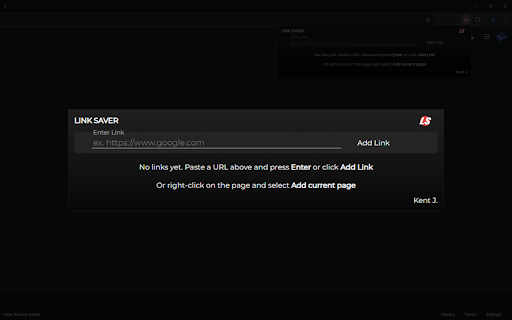
Well, Link Saver has your back. Go to the page you want to save, open the context menus (right-click), and press 'Add current page to Link Saver.'
That's very easy, right? That's not all. You can also add a link manually. Copy and paste the link you want to save, open the Link Saver extension, paste it into the input box, and click 'Add Link.'
So simple!
What's great about this extension?
• Organize your links with the group function. This allows you to group multiple links at the same time. Select the links you want to group, then click 🗂️ GROUP SELECTED to group them.
• Sort the links according to your preference. Hold your left mouse button at the six (6) dots on each link to grab it. Do not let go; simply drag it to the position you want it to be. You can also do this with a group!
• Rename groups according to your preference or leave them as they are. I provided random group names for you!
• Rename the title of links according to your preference.
• Open multiple links at once. Select the links you want to include, then click 🔗 OPEN SELECTED. You can also do this by group by clicking the 'Open All' button at the top of the group layout.
That's it!
Note: Some functions are not working on ARM64 devices, I am still looking into it.


Reviews
Loading reviews...
Permissions (4)
Permissions
contextMenusℹ Can add items to the right-click menu storageℹ Can store data locally in your browser tabsℹ Can see your open tabs and their URLs unlimitedStorage
Details
| Version | 1 |
| Updated | Sep 24, 2024 |
| Size | 6.88MiB |
| First Seen | Apr 1, 2026 |
More by Kent J.


Popular in tools

Zotero Connector
by Zotero
8M
★ 3.96
tools
8M
★ 3.96
tools

Browsec VPN - Free VPN for Chrome
by Browsec
7M
★ 4.44
tools
7M
★ 4.44
tools

AnyDoc Translator - Translate Web and PDF
by www.wps.com
7M
★ 4.58
tools
7M
★ 4.58
tools

WPS PDF - Read, Edit, Fill, Convert, and AI Chat PDF with Ease
by www.wps.com
7M
★ 4.45
tools
7M
★ 4.45
tools

Video DownloadHelper
by Aclap
5M
★ 4.43
tools
5M
★ 4.43
tools
Popular Extensions

Adobe Acrobat: PDF edit, convert, sign tools
by Adobe Inc.
331M
★ 4.40
workflow
331M
★ 4.40
workflow

AdBlock — block ads across the web
by AdBlock
63M
★ 4.48
workflow
63M
★ 4.48
workflow

迅雷下载支持
by Shenzhen Xunlei Network Technology Co., Ltd.
59M
★ 2.77
workflow
59M
★ 2.77
workflow

Grammarly: AI Writing Assistant and Grammar Checker App
by Grammarly
42M
★ 4.50
communication
42M
★ 4.50
communication

Adblock Plus - free ad blocker
by eyeo GmbH
41M
★ 4.39
workflow
41M
★ 4.39
workflow