
Text To Speech, Udemy Course Subtitle Reader with AI Voices | Readio Pro
by graxi
Description


Reviews (10 cached)
Didn't work with my Google Docs, it just read the title. Not intuitive, and hard to find help/answers.
the problem is this. for some reason this adds an icon to the browser window that overlaps the web contents. I don't need that kind of annoyance, so I opened settings to see if there's a way to turn off the icon. there isn't. just a section that says "list the websites you 'don't' want this icon to appear on" so I typed in * to indicate ALL websites. It did remove the icon, but now it also doesn't read the text when I right-click on some highlighted text and select "Read with OmniReader". So its basically broken now.
Instructions unclear you can't even use the extension
Its not working on my chromebook, when i press the button nothing happens
Doesn't work with Claude. The voice controls are shown under the input box but no speech is coming no matter how much I refresh the page.
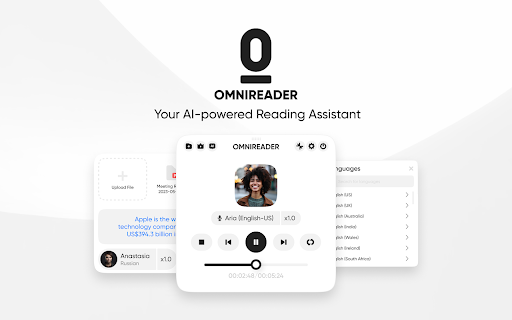
Very realistic voices with nice UI, but it gives you like 5 min read for free version
When I use it to read answers on Quora ,it alarms "Cannot read properties of undefined (reading 'lang')". I changed select areas,it still alarms.
Good when it works but most of the time it doesn't, and it take some time to fix it... I wish if this was as robust as it looks like. The voice choice is excellent even though that the best ones are locked behind paywall and high api fees... but I appreciate that they managed to make available to some good voices for free.
I like it but its quite glitchy stops after like 1 or 2 times :/
Great app oeverall, but it does NOT work with Google Play Books webpages, please add support!!!!!!!!!!!!!!!!!!!!!!!!!!!!!!!!!!!!!!!!!!! Google Play Books webpages seem to use iframe which mess things up and this extention simply cannot pick up any content from any books in my Google Play Books library. I'd love it if it can read aloud my books for me using OpenAI or ElevanLabs voices. Thanks for the hard work! But please add support for this ASAP, since being able to read Google Play Books should be a high-priority feature.
Permissions (2)
Permissions
Details
| Version | 1.3.9 |
| Updated | Feb 9, 2026 |
| Size | 1.32MiB |
| First Seen | Mar 31, 2026 |
Popular in tools



Popular Extensions




