
Description
LinkLater - Easily save your reading and add notes
With LinkLater, you can easily save important links and pages for later reference. This Chrome extension is made for you, who are looking for a simple and efficient way to manage your readings and keep your browser organized.
Key features:
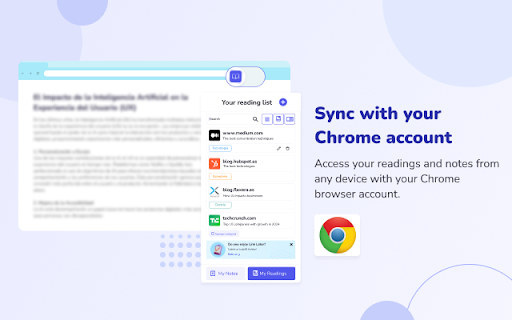
✅ Automatic sync: Keep everything up to date on all your devices thanks to Chrome's sync.
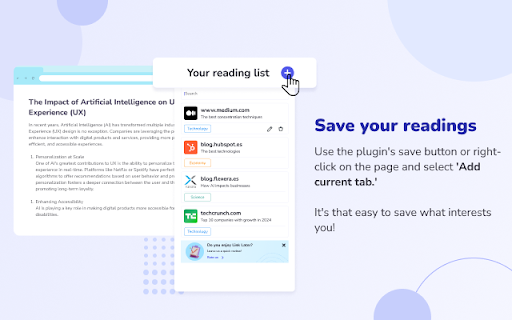
✅ Save your favorite links: Store web pages to review them whenever you want.
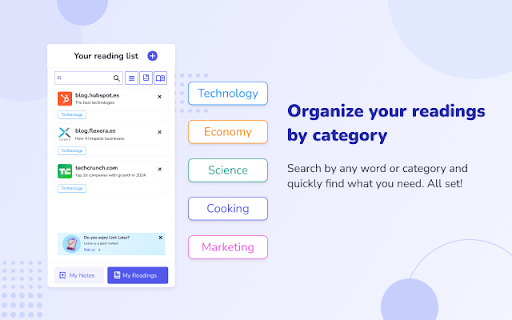
✅ Add categories: Organize the way you like your content.
✅ Add key notes: Select notes from your pages to remember important details.
✅ Note reader: You can listen to your saved notes at any time.
✅ Quick search: Easily find what you need with our search function.
✅ Multilingual support: Enjoy LinkLater in more than 15 languages, adapting to your preferences.
How to use LinkLater:
1. Open the web page you wish to save.
2. Click on the LinkLater icon in the top right corner of your browser.
3. Select “Add current page” to save it.
4. Use the search bar to find any saved readings.
When you are done with a page, delete it by clicking on the “X” in the right corner.
With LinkLater, you'll have all your reading and notes organized and accessible from any device - start enjoying an easier and more organized reading experience today!


Reviews
Loading reviews...
Permissions (6)
Permissions
bookmarksℹ Can read and modify your bookmarks contextMenusℹ Can add items to the right-click menu readingList storageℹ Can store data locally in your browser tabsℹ Can see your open tabs and their URLs ttsℹ Can use text-to-speech
Details
| Version | 1.0.3 |
| Updated | Apr 21, 2025 |
| Size | 13.68MiB |
| First Seen | Mar 29, 2026 |
Popular in tools

Zotero Connector
by Zotero
8M
★ 3.96
tools
8M
★ 3.96
tools

Browsec VPN - Free VPN for Chrome
by Browsec
7M
★ 4.44
tools
7M
★ 4.44
tools

AnyDoc Translator - Translate Web and PDF
by www.wps.com
7M
★ 4.58
tools
7M
★ 4.58
tools

WPS PDF - Read, Edit, Fill, Convert, and AI Chat PDF with Ease
by www.wps.com
7M
★ 4.45
tools
7M
★ 4.45
tools

Video DownloadHelper
by Aclap
5M
★ 4.43
tools
5M
★ 4.43
tools
Popular Extensions

Adobe Acrobat: PDF edit, convert, sign tools
by Adobe Inc.
331M
★ 4.40
workflow
331M
★ 4.40
workflow

AdBlock — block ads across the web
by AdBlock
63M
★ 4.48
workflow
63M
★ 4.48
workflow

迅雷下载支持
by Shenzhen Xunlei Network Technology Co., Ltd.
59M
★ 2.77
workflow
59M
★ 2.77
workflow

Grammarly: AI Writing Assistant and Grammar Checker App
by Grammarly
42M
★ 4.50
communication
42M
★ 4.50
communication

Adblock Plus - free ad blocker
by eyeo GmbH
41M
★ 4.39
workflow
41M
★ 4.39
workflow