
SaveDay - AI Bookmark Manager icon

SaveDay - AI Bookmark Manager

by SaveDay

v2.2.2 Updated Mar 5, 2025 5.4MiB
CWS
7K
Users
★ 4.68
176 reviews
#9221
of 206.5K
tools
#1800 of 64.1K
⚠️Not updated in over a year Highly rated

Description

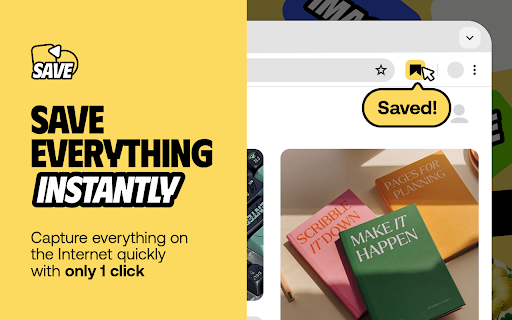
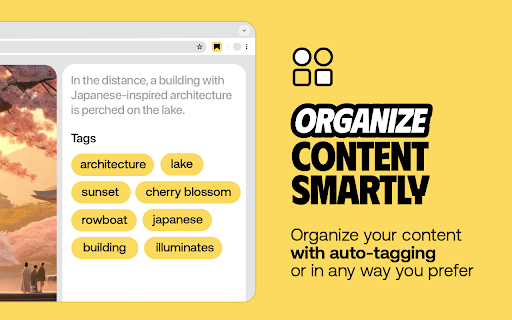
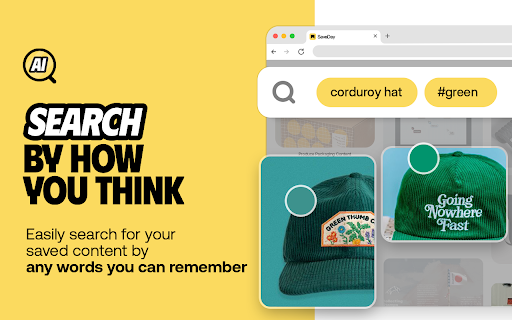
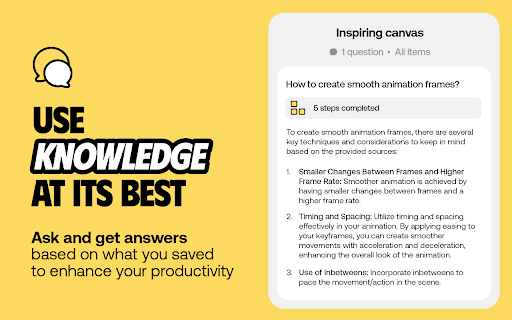
SaveDay is an AI knowledge manager extension. With SaveDay, you can bookmark much more than web links and articles, organize them to make it easy to read them later and find them whenever you need. Features: ★ Content saving: Save content in any format (web links, images, videos, photos, podcasts, audio...) easily while keeping your content confidential ★ Reminder for saved content: Set reminders for your saved content, ensuring you stay on top of your reading list and never miss out on valuable information ★ Web highlighter and Quoteshots: Easily highlight any web page, social post, and share it with beautiful templates ★ Annotation: Add sticky notes on any place in a webpage, add highlight notes to your highlighted contents and timestamp notes for moments in video ★ Intuitive search: Search by keyword or by the way you think, in any language, for contextual information retrieval ★ Sidebar: Access all your notes, including highlights, AI notes, sticky notes, and highlight notes, in the sidebar. ★ Free to use Tips: Use the SaveDay side menu to automatically store the content you've selected, get sticky notes, get key points, and access collections. Here's how to turn it on: In the menu bar: Step 1: Click on the SaveDay icon in the top right corner of your browser (ensure it's pinned first) Step 2: In the ""Settings"" section, switch on the ""SaveDay side menu"" Step 3: The SaveDay side menu will be turned on and visible In the Settings page: Step 1: In the Preferences section, navigate to the ""Side menu"" category Step 2: Click on the ""Deleted"" icon to remove the website you previously turned off. Now, you can use the SaveDay side menu as usual Alternatively, click to switch on the button for the ""Side menu,"" turning it on for all websites until you decide to turn it off Use the Highlight button to easily and quickly highlight, annotate and create quoteshots: In the SaveDay Menu: Step 1: Click the SaveDay icon in the top right of your browser (ensure it's pinned) Step 2: In the ""Settings"" section, switch on the ""Highlight button"". The highlight feature will be turned on, ready for use In the Settings Page: Step 1: In the Preferences section, choose the ""Highlight button"" category Step 2: Type the website URL for which you want to turn on the highlight button. Click the ""Delete"" icon next to the website if it was previously turned off Alternatively, switch on the button for the ""Highlight button"" to turn it on permanently for all websites Use the SaveDay sidebar to access all your contents: Step 1: Click on the SaveDay icon in the top right corner of your browser (ensure it's pinned first) or click on the SaveDay side menu Step 2: Choose ""This content's note"" Check out our privacy policy: https://www.save.day/privacy-policy Check out our terms of service: https://www.save.day/terms-of-service
SaveDay - AI Bookmark Manager screenshot 1SaveDay - AI Bookmark Manager screenshot 2SaveDay - AI Bookmark Manager screenshot 3SaveDay - AI Bookmark Manager screenshot 4

Reviews (9 cached)

★☆☆☆☆2025-07-30
Warren Huber

Has a 1000 bookmark limit for importing. The entire point of wanting an AI bookmark manager is to reorganize a massive bookmark library. AND, it's also breaking Facebook, giving a fatal loading error. AND it places itself into my Google search results. No, we're done here.

★☆☆☆☆2024-12-14
Luis Martinez Suarez

I have no clue how this works, the pinned extension button doesn't do anything, the side menu doesn't do anything. Very unclear

★☆☆☆☆2024-05-22
Pavneet Singh

not working in edge i logged in successfully afterthat it still showing login when i open a new page and click extension

★☆☆☆☆2024-01-12
Đoàn Đức Nghĩa

This extension has a bug. Your style is overwrite my style in my website. it take my website misaligned. please fix this issue because it's in my production site .saveday button, input, optgroup, select, textarea { font-family: inherit; font-size: 100%; line-height: 1.15; margin: 0; }

★★☆☆☆2025-03-12
Pranay Prabhakar

I'll gladly change this to a 5 star review if this is addressed, but i don't see a way to export the stuff I've saved in SaveDay out to somewhere else.. how is this not a feature??? They have like a 100 way to import things into it but nothing to export out of it. just like they show how to download my chrome bookmark file to load into saveday, i want to be able to download a saveday file of my stuff

★★☆☆☆2024-02-13
Anh Phuong

It's quite buggy. Account keeps logging out itself. The in-page button still appears on the site where I have previously turned the button off (Always)

★★☆☆☆2024-01-22
Raghavendra Kopalle

Guess this is still under development, very buggy. Keeps logging out, some times even after logging in multiple times with Google account it doesn't login properly, bookmarks don't show up at times even after multiple saves, thumbnails load very slowly in the app. Using this on edge. Definitely has potential but long way to go with reliability.

★★★☆☆2024-11-09
keven johnson

Great extension but has bugs and needs work. 1. I cant attached a custom link to an image in my collection. It links directly to the google drive image. I don't need to go visit an image I am already looking at in my collection. which leads into this; 2. Collections don't allow me to select my own cover image. 3. It constantly nags me just above my collection of links telling me the link I just saved isn't valid anymore. 4. I have to refresh to see anything I just saved. it doesn't immediately show up or update. I can see the limitless potential with this extension and I will continue to use it at the lower tier just to show support for the dev. I am disappointed I missed the Appsumo LTD. I will keep a look out for it if and when makes an LTD available as I believe SaveDay will blossom into a very useful assistant in organizing information from the web. 🙂

★★★☆☆2024-02-28
Maurice Garcia (Mo)

I love the service however the extension has never worked for me. The icons don't work and sometimes they glitch out on pages.

Permissions (8)

Permissions

activeTab Can access the current tab when you click the extension bookmarks Can read and modify your bookmarks contextMenus Can add items to the right-click menu identity Can use your Google account identity scripting Can inject scripts into web pages sidePanel storage Can store data locally in your browser tabs Can see your open tabs and their URLs

Details

Version 2.2.2
Updated Mar 5, 2025
Size 5.4MiB
First Seen Mar 28, 2026

