
Image DPI Converter
v1.2.1 Updated Mar 27, 2026 282KiB
✅Recently updated
Description
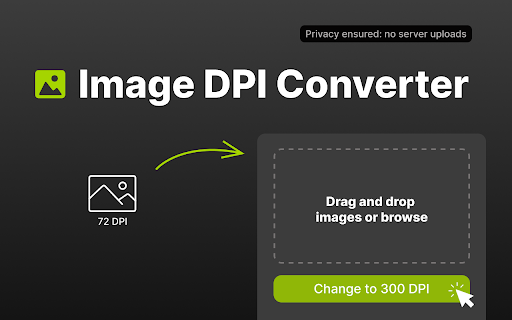
🚀 Image dpi converter for Chrome helps you set the right resolution in seconds. Use this tool when you need print-ready files, web-friendly assets, or a fast checker to verify settings before you export.
❓ DPI means dots per inch. It shows how many ink dots fit in one inch when you print a photo. With this image converter, you can change dpi for any task you have. It works great for web graphics and print projects alike.
🧮 Key facts:
🔹Higher resolution can improve print detail at the same physical size
🔹300 DPI is a common standard for professional printing
🔹Metadata can be updated to set the exact DPI you need
✨ What you can do with Image dpi converter:
1️⃣ change dpi and download the updated file
2️⃣ convert with presets or custom values
3️⃣ use it while keeping the workflow inside Chrome?
5️⃣ use the built-in dpi checker to verify 300dpi targets
6️⃣ works with PNG, JPG, JPEG
🧮 This online image dpi converter brings professional functionality to Chrome, making it simple to adjust photos in seconds. Easily convert your files to any resolution you need.
Professional printing requires specific settings:
✅ 300dpi – Professional print materials and photo prints
✅ 150 – Newspaper printing and marketing materials
✅ 600 – Ultra-high definition printing for fine art
💻 How to use:
➤ Add the Image dpi converter from Chrome Web Store
➤ Click the icon in your browser toolbar
➤ Drop your file into the window
➤ Pick your target value
➤ Save your newly converted file to your device
🧑💻 Many people want to convert image to 300 dpi online these days. But most web tools upload your files to their servers. This Image converter runs on your device only. Your photos stay private and fully safe on your own computer at all times.
💁🏻♀️ Privacy advantages:
🛡️ No file uploads to third-party servers
🛡️ Fast local processing in your browser
🛡️ Secure handling of sensitive pictures
🛡️ Your data remains private
💎 This Image converter does more than just 300dpi work. Use it for web graphics and social media posts. Or try the 600 mode for detailed print jobs that need extra clarity and sharpness. 🔧
🔍 Main features of this Image dpi converter:
⭐ Batch processing for big projects
⭐ Built-in checker shows current file resolution
⭐ One-click option to convert an image to 300dpi
⭐ Preset buttons for 300, 150, and 600 settings
⭐ Set any custom value you need for special jobs
⭐ See a live preview before you save your final file
Many photographers convert to 300 dpi for galleries and client work every single day. Print shops need exact specs to do their job right. Our converter helps you prepare files correctly the first time around with no errors. 📸
Whether you are:
- a designer,
- a photographer
- a student
This Image dpi converter adapts to your workflow. 🚀 Print shops require 300dpi resolution, and now you can verify files using the integrated dpi checker.
Perfect for creative professionals who work with multiple file formats daily.
Whether you prepare assets for clients, optimize visuals for websites, or create print-ready materials, this browser-based solution keeps everything streamlined. No software installation required – just open Chrome and start working.
✍️Common ways to use this image resolution modifier:
📷 Get photos ready for local print shops
📊 Creating high-quality marketing materials
🖼️ Make sharp graphics for posters and large banners
👀 Fix resolution for ID photos and official documents
🖥️ Convert dpi of image for journals, portfolios, and presentations
Users wonder how to convert image to 300dpi properly. The 300 dip requirement (commonly written as 300dpi) represents the industry standard. This versatile online image dpi converter helps boost file resolution.
⚡ Users who achieve 300 dpi with our tool save lots of valuable time each day. The conversion process takes just seconds, not minutes like other tools. Get more work done and boost your daily output with ease.
🌟 Download the Image dpi converter now and eliminate resolution-related rejections. Whether you need 300 dpi for printing or any other purpose, this converter puts professional resolution control at your fingertips.
🚀 Get in Touch:
Have queries or suggestions? Don't hesitate to drop us a line at 💌 hi.image.dpi.converter@gmail.com
Reviews
Loading reviews...
Permissions (1)
Permissions
sidePanel
Details
| Version | 1.2.1 |
| Updated | Mar 27, 2026 |
| Size | 282KiB |
| First Seen | Mar 31, 2026 |
Popular in tools

Zotero Connector
by Zotero
8M
★ 3.96
tools
8M
★ 3.96
tools

Browsec VPN - Free VPN for Chrome
by Browsec
7M
★ 4.44
tools
7M
★ 4.44
tools

AnyDoc Translator - Translate Web and PDF
by www.wps.com
7M
★ 4.58
tools
7M
★ 4.58
tools

WPS PDF - Read, Edit, Fill, Convert, and AI Chat PDF with Ease
by www.wps.com
7M
★ 4.45
tools
7M
★ 4.45
tools

Video DownloadHelper
by Aclap
5M
★ 4.43
tools
5M
★ 4.43
tools
Popular Extensions

Adobe Acrobat: PDF edit, convert, sign tools
by Adobe Inc.
331M
★ 4.40
workflow
331M
★ 4.40
workflow

AdBlock — block ads across the web
by AdBlock
62M
★ 4.48
workflow
62M
★ 4.48
workflow

迅雷下载支持
by Shenzhen Xunlei Network Technology Co., Ltd.
59M
★ 2.77
workflow
59M
★ 2.77
workflow

Grammarly: AI Writing Assistant and Grammar Checker App
by Grammarly
42M
★ 4.50
communication
42M
★ 4.50
communication

Adblock Plus - free ad blocker
by eyeo GmbH
41M
★ 4.39
workflow
41M
★ 4.39
workflow