Description


Reviews (54 cached)
I hate it, its nothing like MC paints. I can't pratice my art or have multiple images. XP >:(
this app is sooooo clunky and hard to use. i expected something a lot more user friendly.
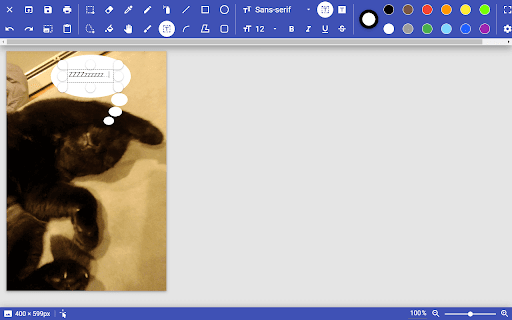
So sticky, and why can't I hit add text, select the area in which I want this text to appear, start typing, then not be able to alter the area in which I want this text to appear. Are you hiding from Microsoft? Sheesh, do better.
this app Sucked
Pretty awful to use, not very user friendly
couldnt download my pic and it kept frezzeing up and giveing me errors
Does not work good I'm trying to deletle it
this is the worst, yes WORST drawing app i've ever been on its horrible i advise you to never get this app!:(
Terrible: again not a cut n paste type app, not a 10 th. of what Windows XP could do.
crashes
It doesn't work without an internet connection.
last time it did not paint
This sucks and it doesn't look ed realistic in any way. why is the pencil a dotted line!? any, i thought it SUCKED
Rubbish. Doesn't work
Like EpicMarioFan101 said, it's nothing like MS Paint, it doesn't have a text tool... It needs to be about... 97% more MS Paint-like.
IT SUCKS. IT DOESN'T HAVE A TEXT TOOL, AND ITS NOTHING LIKE MS PAINT!
It was great until it wouldn't let me save anything. The save button didn't do anything.
so hard to work
I couldn't even get it to work.
it didnet help me
Well, need a FREAKING ZOOM FEATURE, also, WHAT KIND OF A PAINTING "APP" DOESN'T HAVE A ZOOM FEATURE!? Whithout it its next to impossible to draw small things.
Waay too many glitches fam took me almost 20 minutes to make a circle with four names in it.
Very non intuitive - for some reason when I shared my images, only parts of them shared.
Ouch. It was not so great. I see from previous reviews that you're going to ask for specifics. I really became too frustrated pretty quickly, so I'm not going to have in-depth knowledge, but what I can report is that when I wanted to change the font, it closed the text box, so I had to stat all over. There were more problems, and there were also things that I did like, but not enough to hand in there. Sorry.
I was simply wanted to add text to an image and encountered multiple issues. Once the text is written out there is no way to go back and edit it (or this is a glitch/error). So I predetermined everything I wanted the text to show. I try to click out of the text box (basically finalize the text i had added/edit that I made) the text immediately disappeared. Lots of issues within 5 minutes of use. Doesn't feel user friendly at all. I'm getting the impression that there may be too much of a focus on the app's simplicity. As a new chromebook user this is making me really miss a simple windows tool like Paint. 2 stars though because the developer seems responsive and like the app is getting updated regularly. Hope this work in progress becomes something useful.
won't even open. i just downloaded it and it won't load. i cant even see the application because it's been loading 10 minutes plus, still hasn't opened.
need copy/paste!
It works in the sense that it does paint, however I had trouble with the eraser, it only added color. The lack of an option to have multiple layers is what really lost me.
they need a curvy tool!!!!
Works great but... no text box. Can't add text to the image. Really?
Honestly, the game was awesome. Like you could draw and do whatever you liked really. But there was some bugs such as: The colors staying the same even though you changed it, Pen/Pencil not working properly. I didn't download it since I am on computer and can just search it, but I would like to ask to fix this if it is another disturpance to others ^^
The PWA on the website is much better than the extension.
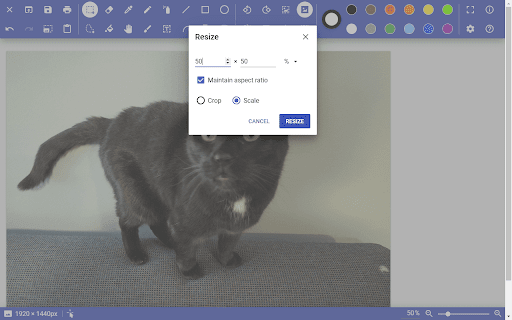
Hi! I love the app but I cannot stretch my photo. I also cannot stretch the editable area. There seems to have no arrow cursors in the four corners of the image like MS Paint. Or am I just missing something?
I like Paint Z a lot! And I'm serous this extension deserves to be used by a lot more people. I don't have ms paint and its generally perfect on my Chromebook so Paint Z and B are generally useful. As of my reasons why its at 3 stars is with the pencil tool. I wish so much that the pencil tool gets the ability to be bigger and thicker... Like in MS Paint. Its very annoying for me to make large maps and map changes when i have to double layer large areas with the pencil tool. Mistakes double layering the pencil tool are common and it takes a while for me to do tiny areas with it. (As of all the other tools they are amazing) To sum up what i just said its basically allow the option for the pencil tool to become thicker like in MS paint. Nothing More, Nothing Less (As the marker tool sometimes has old colors stick to it when you change its color; The Pencil tool doesn't do that which is one of the reasons why its perfect) Thank You, I hope you receive this and add this option to Paint Beta as soon as possible.
LOVE
everytime I paste an image from clipboard, the image keeps appearing at the top left corner of the entire page,then when I try to move the image offscreen to the other side of the page, it gets stuck in the middle as I switch to the pan hand...so overall good not great
Is it possible to use layers and fill in without actually manual filling it in? Thank you.
i wish i could have multiple layers otherwise it was good
Seems very rudimentary (which may work for some) but, I'd have to guess it equates to MS Paint for Window 95 (if I'd used it back then). Things like being able to paste an image from your clipboard should be a basic along with being able to do composites of multiple images.
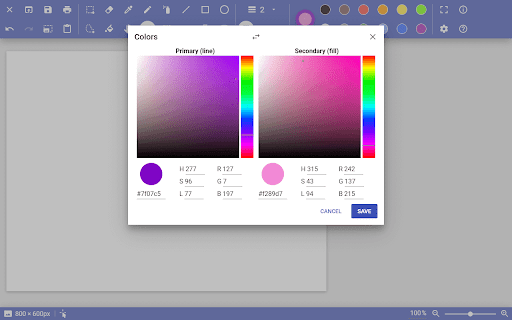
Pretty good for simple purposes, but PLEASE add brown for one of the colors.
Pros: Many features work in the same way as MSpaint or better. Rotate/flip/copy selection behaves well, even better than the original since it removes a rotation glitch in the original MSpaint. Open/Save works properly, Cons: Some basic staples of MSpaint that I use all the time are still not accounted for. I am sorely missing the transparent selection mode, which is implemented in the original MSpaint. It's not the same as layers. Selections made cannot be resized (different from resizing the entire picture). Also, the second color drawing is very messy. When I right click to use the second color, the Chrome right-click menu appears. Then when I cancel the menu with a left click, it overwrites the color from the right click. Fixing these issues would mean a lot for MSpaint style usability.
It was not bad, you can write, paint and draw. But very poor on colors... On this app you van paint with the colors blue, red but not brown or pink... (for example)
Needs copy feature.
Of the Chromebook MSPaint options I've tried, this was certainly a decent one. However I found features missing that wouldn't make it a suitable replacement for my use scenario. I use MSPaint to build storyboards funny enough, when planning out ideas for images and comics. So the below features are really essential. The ability to move recently drawn objects around, to get them positioned correctly. MSPaint automatically highlights a line or object you drew for re-positioning and I find this helps a lot in those small corrections. Transparent backgrounds when moving selected objects. So you are able to draw a component of an image and then move it into place using the selection tool, without a white background smothering everything beneath it. I also found drawn objects to be imperfect. Like you could draw a straight line and there would be a sort of jagged "noise" along its edge. If these were sorted out, it would be a definite contender as a MSPaint replacement.
I've tried this tool and like the annotation features, but when I try to save the annotated image (either jpg or png), I get Download Failed - unknown network error. I know my internet connection is good when this happens.
Its quite good for a online program. Its like MS paint in a lot of ways, But i have a bit of a problem with the fill tool and the smooth edges setting. You make a shape with smooth edges setting on and then you fill it in with the bucket tool, only too see that it has fuzzy lines between the square and the fill. I would be most happy if there was a smooth fill setting but otherwise it works well for what it isl.
It's nice but now I can barely do ANYTHING! Ever since you added that update where the width and scaling are more advance, the canvas is too big and things are laggier. The fill-in also needs some work. It doesn't fill in the whole thing, it leaves an extra outline. Please fix this. Other than that, good alternative to Microsoft's MS Paint.
This is a good alternative, but how do I change the size of pictures?
It's definitely doing what it's meant to do, so it has that going for it. However, it'd be nice to have the little simple things, like being able to flip/mirror an image after it's been selected.
Good start. It would be very useful to have copy/paste and basic image rotation.
Details
| Version | 3.4 |
| Updated | Dec 26, 2022 |
| Size | 17.67KiB |
| First Seen | Mar 24, 2026 |
More by Zachary Yaro


Popular Extensions




