
VidHelper - Video Download Helper icon

VidHelper - Video Download Helper

by VidHelper

v2.4.0 Updated Mar 27, 2026 11.37MiB
CWS
50K
Users
★ 3.16
103 reviews
#2504
of 209K
accessibility
#147 of 6.5K
⚠️Requests 1 sensitive permission Recently updated

Description

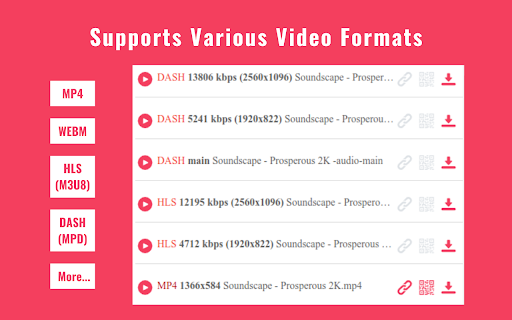
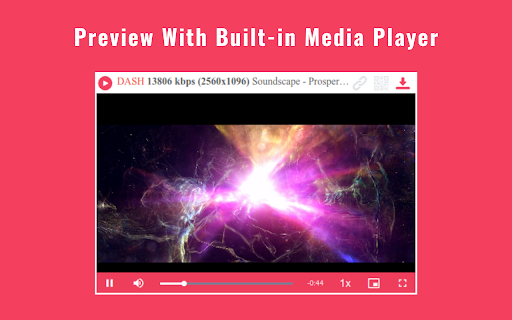
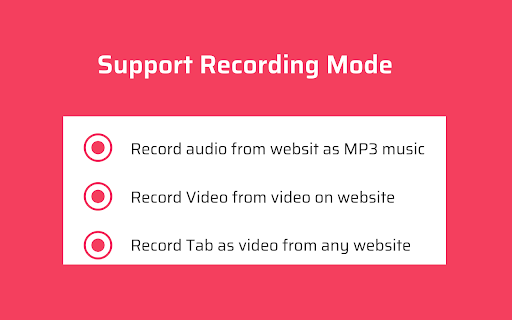
Introducing VidHelper, a robust Video Download Helper that empowers you to effortlessly download videos from a vast array of platforms—over 1000 sites, including prominent social media platforms. VidHelper supports an extensive range of video formats. Notably, it seamlessly handles HLS and DASH streams, simplifying the downloading process for even the most intricate video formats. Enjoy the flexibility of accessing your favorite videos offline at your convenience, without the need for an internet connection. Share these videos with friends and family or store them for future viewing—VidHelper is your all-in-one solution for capturing and relishing online content. Key Features: - Compatibility with 1000+ video sites, making it easy for users to download and enjoy their favorite content from a wide range of online platforms. - Support for a variety of video formats. - Capabilities for downloading HLS (m3u8) and DASH (mpd) streams. - Built-in media player for Video Preview, streamlining your viewing experience. - QRCode links for effortless video sharing to your mobile phone. - Batch Download feature, enabling one-click download for all detected videos. - Supports recording mode to record video, audio and tabs. - Free, unlimited usage of our Video Download Helper with no registration requirements. How to Use Our Video Download Helper: 1. Visit the video site and click on our extension icon. 2. Videos will be listed on the popup page. 3. Choose the video you want to download. Enjoy! Note: Some web pages may require you to initiate video playback to assist the video downloader in locating the content. We sincerely hope you find our Video Download Helper valuable! Your feedback, ratings, and suggestions for enhancing functionality are highly appreciated. Disclaimer: VidHelper is not a Youtube Downloader. Due to restrictions outlined in the Google Web Store Policies and Developer Program Policies, downloading Youtube Videos is not supported. We appreciate your understanding.
VidHelper - Video Download Helper screenshot 1VidHelper - Video Download Helper screenshot 2VidHelper - Video Download Helper screenshot 3VidHelper - Video Download Helper screenshot 4

Reviews (11 cached)

★☆☆☆☆2026-02-15
sam phan

cant not download on all website should try before u pay

★☆☆☆☆2026-02-13
Anderson de Souza Gomes

1 video at hour

★☆☆☆☆2025-12-07
Ivan

Why have I to pay and give my data when I can download with HLS downloader for free?????

★☆☆☆☆2025-10-26
DackTrak DackTrak

Your page says I can download a video every hour with free but its only showing me price plans for the paid version and wont let me download it on the free version

★☆☆☆☆2025-08-14
Ali Hamza

Downloads a 100mb video for 390kb from skool, the video is hosted on loom, can you help me download the videos?

★☆☆☆☆2025-07-27
Superman

Worked once then asked for $$$

★☆☆☆☆2025-05-17
Timur Fayzullin

Horrible... Only 20-30% of the video loads and then the image freezes but the sound continues.

★☆☆☆☆2025-05-14
Wayne

On a 44 minute video, VidHelper downloaded 30 seconds and said the video was downloaded. Now I have to wait an hour to try again. If it worked, I would buy it but I have no guarantee is is going to work. A complete waste of time.

★☆☆☆☆2025-01-30
Krzysztof Nowak

The plugin downloads only the first 2 minutes of video and all audio (29 minutes) from the online movie. Why would I pay for the full version when the free one can't handle performing the function it was designed to perform?

★★☆☆☆2025-01-11
Markus Hollenstein

Did only work partially! When I downloaded 720p it worked, but the video hat choppy playback on VLC. M-Play played it. But, I clicked on 1080p. when i forced 1080p in the player, so that it did only have this option, everything seemed to work, and then it froze my system - 2 times! I will uninstall it... maybe it has to do, with my OS... I guess it is fine, if you stick to small video file sizes...

★★★☆☆2025-03-04
Cédric Beitel

Works on most website. But, actually on CISCO NETACAD, I got some issues: 1. I have to reload the page sometimes about 2 or 3 times before it detects videos 2. It is now unable to find 'playlist'-like animations (as it was on a previous version (the one published on December 2024, when I bought the license because it was the only extension that could detect them!). So, I hope it will be fixed soon :) Thanks a lot

Permissions (10)

Permissions

contextMenus Can add items to the right-click menu declarativeNetRequest Can block or redirect network requests downloads Can manage and monitor downloads notifications Can show desktop notifications scripting Can inject scripts into web pages storage Can store data locally in your browser tabCapture Can capture tab audio/video tabs Can see your open tabs and their URLs unlimitedStorage webRequest Can observe and analyze network traffic

Details

Version 2.4.0
Updated Mar 27, 2026
Size 11.37MiB
First Seen Mar 30, 2026